Mint a public chat link for one agent so anyone can talk to it without an account, with every run billed to you.
You can give anyone a public page to chat with a single agent, no login required. It runs your saved workflow behind the scenes, so the visitor gets the agent’s tools and instructions without seeing the canvas. Every run bills to you, the workflow owner.
Turn on Show in Interface on the agent node, then open its fullscreen chat from the workflow’s Interface tab.
2
Click Share
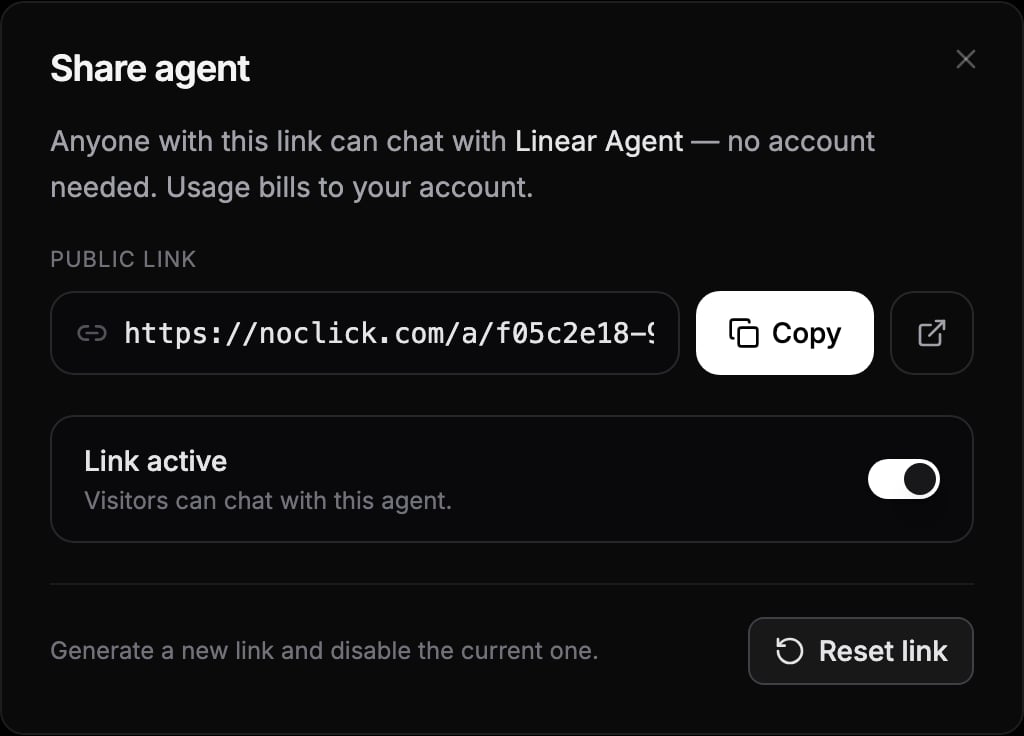
Click the Share button in the chat header. The Share agent dialog mints a public link of the form https://noclick.com/a/{id}.
The Share agent dialog with the public link, active toggle, and reset action
3
Copy and send it
Click Copy and send the link to anyone. Opening it drops them straight into a chat with your agent.
Only the workflow owner can create or manage the link. Collaborators on a shared workflow do not get this button, since every message spends the owner’s credits.
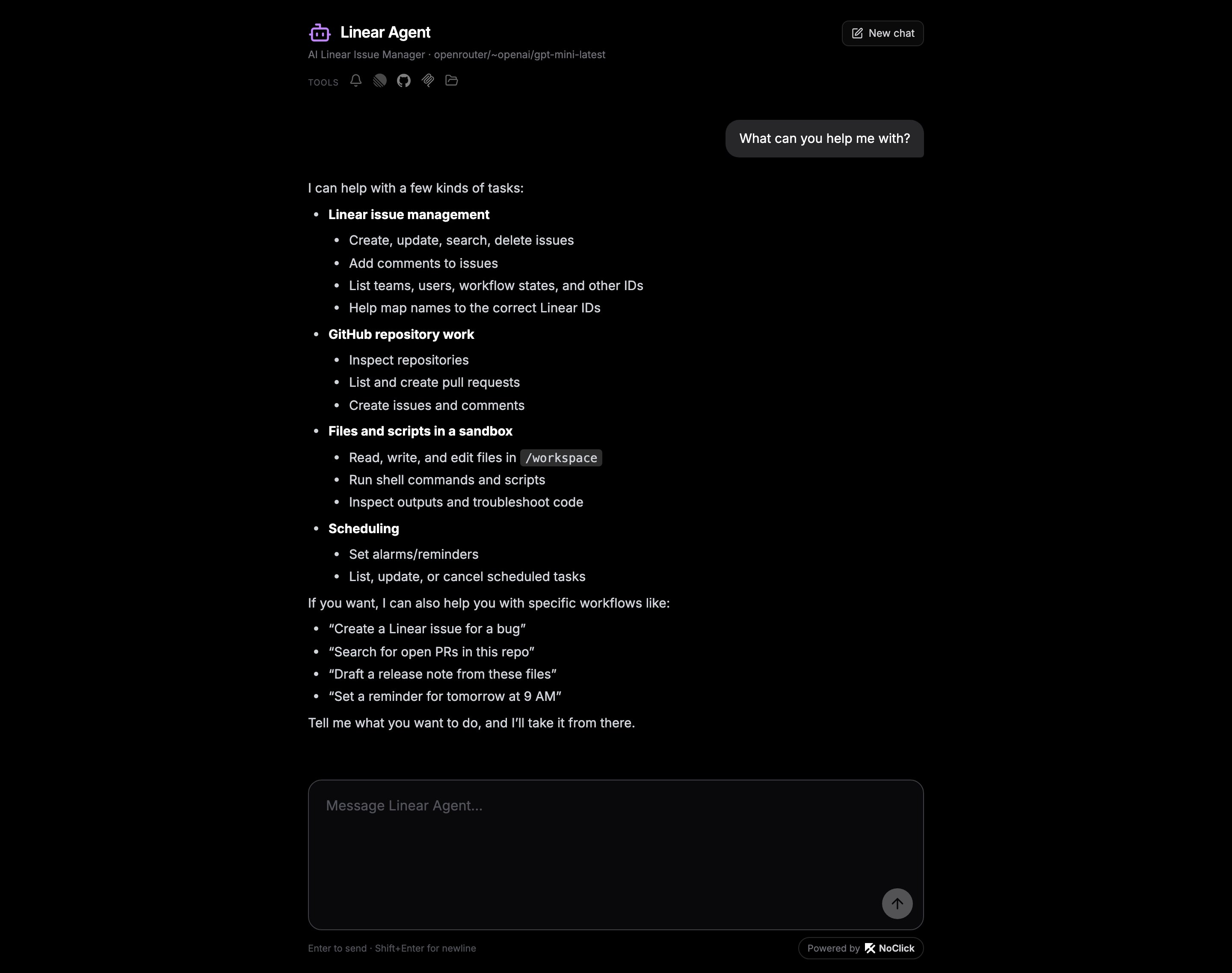
The agent’s name and icon at the top, and a row of the tools it can use.
The same transcript and message box as the in-app chat.
A thread that persists in their browser, with New chat to start a fresh one.
A Powered by NoClick badge that links back to NoClick.
The public chat page a visitor lands on
Visitors never see your canvas, your model choice, or your credentials. They cannot change the agent or read anyone else’s thread; each browser gets its own conversation.
Open the Share agent dialog again to manage the link:
Link active turns the page on or off. While it is paused, visitors are turned away.
Reset link generates a new URL and disables the current one immediately. Use this if a link was shared too widely. Anyone still on the old URL loses access, so send out the new one.
Every message runs as you and bills to your credit balance through the same credit gates as your own runs. If your balance runs out, the shared agent stops responding until you top up. Pause or reset the link to cut off spending at any time.
To show someone what the agent does without giving them a chat box, share a finished test run instead. That mints a read-only page of one run: the event, the steps, and the outcome. Nothing executes when it is opened and nothing bills.