

What happens when an alarm fires
The workflow runs and the agent wakes with the stored message delivered as an event in its turn, alongside its standing instructions from the Message field. The alarm also carries the conversation key that was active when it was scheduled, so the agent resumes the same conversation with full context of why it set the alarm. The alarm node’s config panel shows an Active Alarms viewer so you can inspect and audit what the agent has scheduled.Watching for an update that never comes
An alarm is also how an agent notices silence. A message trigger only fires when something arrives, so nothing on its own can tell you that the daily report from one site is late. For that,schedule_alarm takes two more arguments:
Reusing the same
watch_key replaces that watch’s deadline rather than adding a second one. An update that turns up late or twice cannot push the deadline back or wake the agent again, because the watch keeps the latest update it has seen and discards anything older. A watch needs a countdown or a datetime with a timezone; a cron expression is refused, since a recurring schedule cannot express one next deadline.
The first deadline is armed before any update has arrived, so a site that has never reported is noticed too. Until one is armed, the Setup check reports that the missing-update watch has no deadline yet instead of calling the workflow ready, and once armed it lists each deadline with the last update it saw.
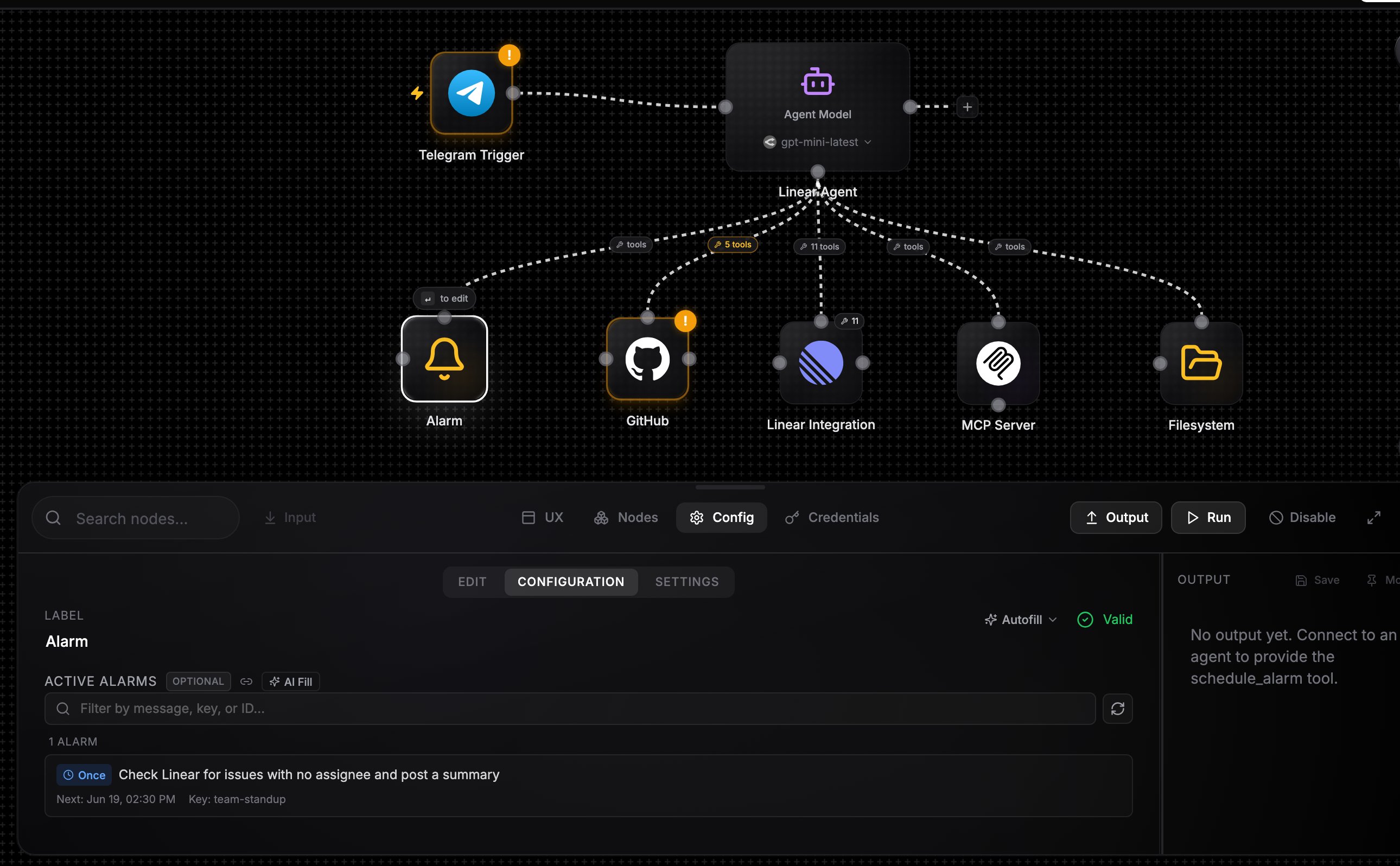
An alarm node wired into an agent, with the Active Alarms viewer open
Example: a daily research agent
1
Wire the pieces
Create an agent, wire in an Alarm node, and wire a send tool (for example a Slack node with Send Message to Channel allowlisted) so the agent can deliver results.
2
Write standing instructions
In Message: “You are a research assistant. When asked to monitor a topic, schedule a daily alarm. When an alarm fires, research the topic and post a summary to Slack.”
3
Kick it off
Run the agent once with a request like “track AI agent frameworks every morning at 9”. The agent calls
schedule_alarm with the cron 0 9 * * * and a message describing the task.4
Let it run
Each morning the alarm fires, the agent wakes with its own note, does the research, and posts the summary. Ask it to stop and it calls
cancel_alarm.Alarms are for agent self-scheduling. To run a whole workflow on a fixed schedule you define yourself, use a schedule trigger instead.