Agents can use tools from MCP (Model Context Protocol) servers in two directions: pull in an external server’s tools with the MCP Server node, or give the agent NoClick’s own tools with the NoClick node.

External MCP servers

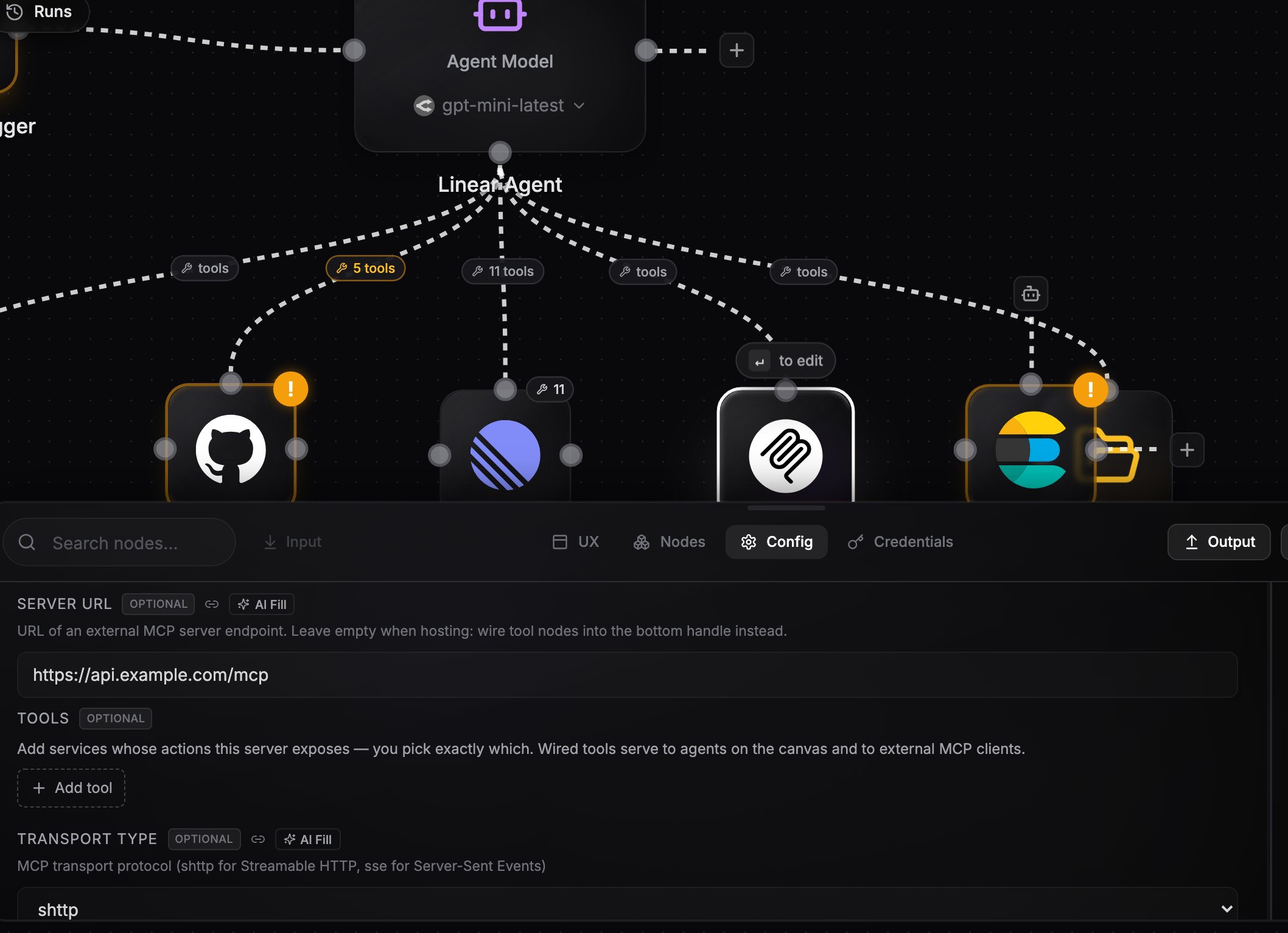
Add an MCP Server node, set its Server URL, and wire it into the agent’s bottom handle like any other tool provider. At run time the node connects to the server, discovers its tools, and exposes them to the agent.
SettingWhat it does
Server URLThe external MCP server endpoint
Transport TypeStreamable HTTP (default) or SSE
Authentication TypeNone, API key, or OAuth; custom headers supported
Tool PrefixOptional prefix added to discovered tool names
Tool FilterOptional list restricting which tools are exposed
MCP Server node config panel showing the Server URL field
The built-in LLM agent does not support external MCP servers. Pick one of the CLI harnesses (Claude Code, Codex, OpenCode, OpenClaw, Hermes) for the agent that uses them. See the capability matrix.
The MCP Server node is either-or: with a Server URL set it proxies that external server. With integration nodes wired into its own bottom handle instead, it becomes a hosted server that exposes your tools to the outside world. See Hosted MCP servers for that direction.

The NoClick node

The NoClick node gives an agent NoClick’s own tools: creating, editing, and running workflows. Wire it into the agent’s bottom handle and pick a scope:
ScopeWhat the agent can touch
All workflowsEvery workflow in your account, including creating new ones
This workflow onlyOnly the workflow the agent lives in
Specific workflowsA list of workflow IDs you provide
When scoped, tools that only make sense globally are hidden and the workflow ID is injected automatically, so the agent cannot wander outside its scope.

Next steps

Hosted MCP servers

Expose your own integrations as an MCP server other clients can call.

Integration tools

Wire integrations directly, without an MCP server in between.