

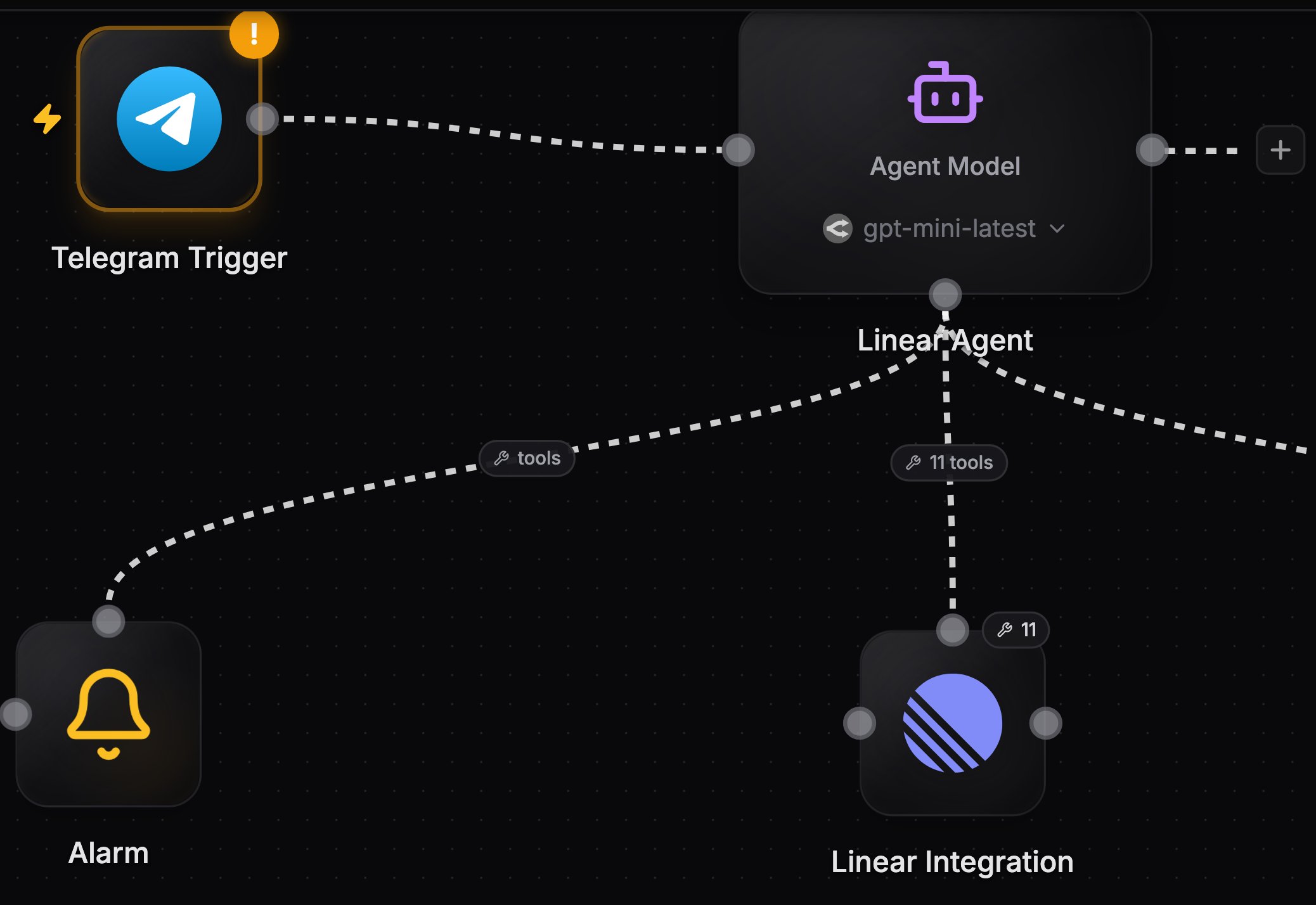
An agent with a trigger wired into its left handle and a tool provider wired into its bottom handle
Agent or deterministic nodes?
Use regular nodes when the steps are always the same: fetch a row, transform it, post a message. Use an agent when the steps depend on the input, for example triaging messages, deciding which records to update, or doing research that takes a variable number of tool calls. Agents consume credits for model usage unless you connect your own AI subscription. Deterministic integration nodes running on your own credentials cost nothing.The three handles
Tool providers connect from their own top handle into the agent’s bottom handle. You can drag these edges yourself, or use the Add trigger and Add tool buttons in the agent’s config panel, which open a searchable palette and handle the wiring for you.
The palette searches each service by what it does, not only by its name. Type “every day” to find the Schedule trigger, or “create issue” to see Linear, Jira, and GitHub. Once you pick a service, its list of triggers or actions is searchable the same way.
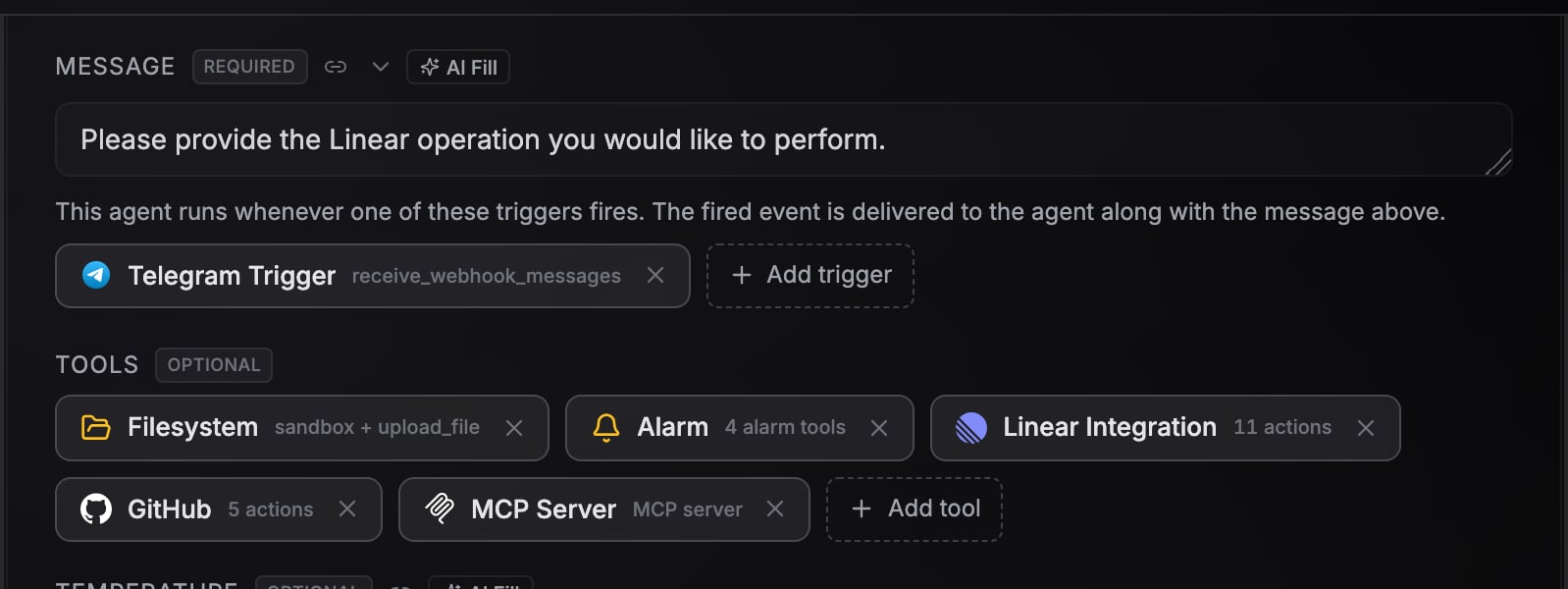
The agent config panel: Message field, trigger chips, and the Tools section
Key settings
An agent with a trigger wired in and an empty Message has nothing to work from when you start the run yourself, because a manual run delivers no event. It stops with an error that says so. Fire the trigger for real, or write a Message for the times you run it by hand.
Capabilities
Every agent chat has a Settings panel with a Capabilities section that controls three things the agent can do on its own. All three are on by default.
Email updates go to your account email, up to one per workflow run and 10 per day per agent. An agent running inside a loop cannot email you at all, because one message per item would fill your inbox; use a notification node downstream if you want per-item delivery. Every email includes a link to turn them off for that agent, and you can toggle the capability off any time in the chat Settings.
Attach images and files
The agent chat in the workflow’s Interface tab accepts attachments. Add them with the paperclip button, by pasting an image from your clipboard, or by dropping files onto the composer. Images show as thumbnails you can hover to enlarge, other files show as chips, and both stay on the message when you reload.- Images are sent to the model directly, so any model that can read images sees them.
- Non-image files are passed as URLs the agent fetches when it needs the contents. The CLI coding agents download them inside their sandbox.
- An uploaded voice memo or audio file is transcribed into the message, and a document has its text pulled out, the same way media that arrives on a channel is handled. See Channel agents.
- On image and video models, an attached image is used as input rather than described: image models treat it as a reference image, and Veo and Kling use the first attached image as the video’s starting frame when you have not set one.
- A message can be attachments only, with no text.
Next steps
Models and harnesses
Choose between the built-in LLM agent and five CLI coding agents, or connect your Claude or ChatGPT subscription.
Tools from integrations
Turn any integration node into a set of agent tools with an operation allowlist.
Channel agents
Build chat-style agents on Slack, Telegram, WhatsApp, or email.
Conversations
Keep context across runs with conversation keys.
Test runs
Watch the agent handle a staged event with every tool call simulated.