

Enter) to open its config panel at the bottom of the canvas. The panel has a Config tab for the node’s settings and a Credentials tab for connecting accounts.
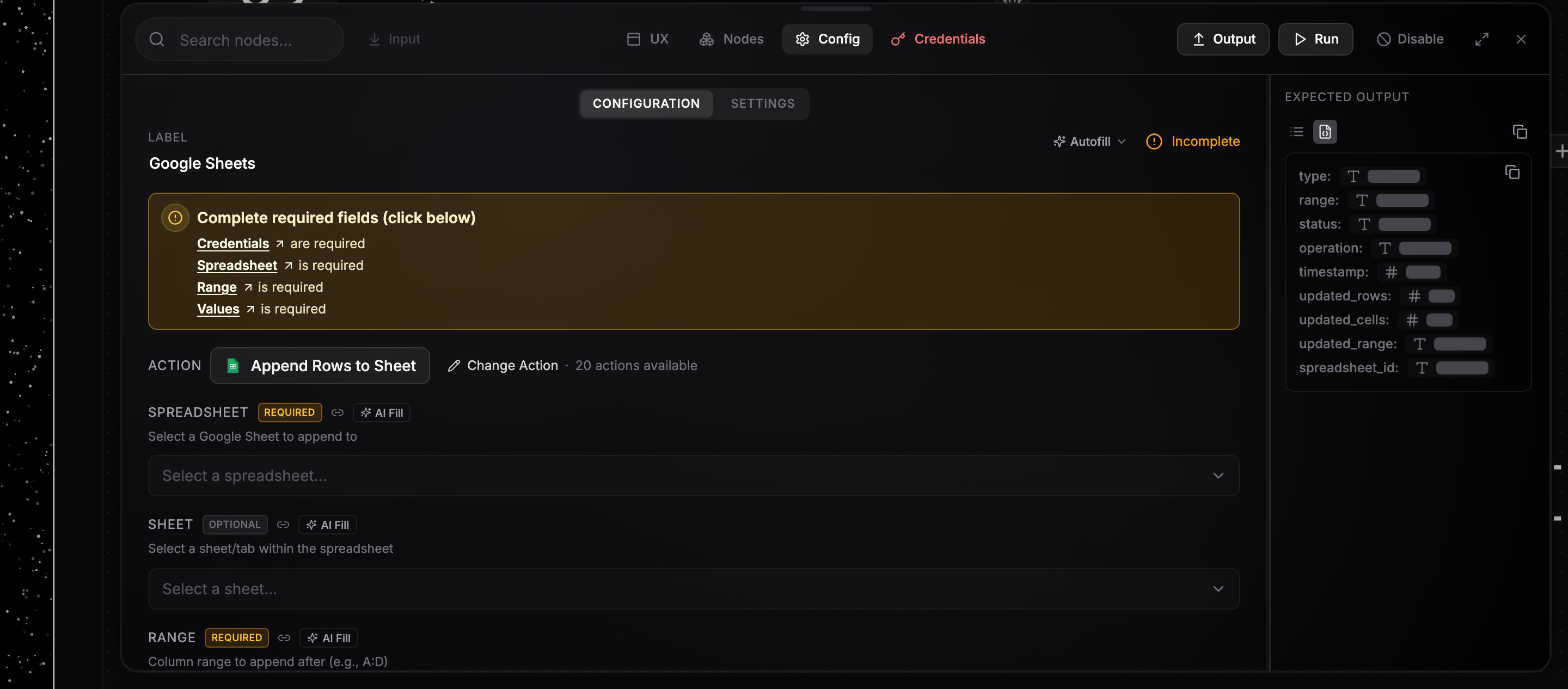
A node's config panel with the operation picker and fields.
Choosing an operation
Integration nodes can do many things, so the config starts with an operation picker: type to search (“Search for an action this node should perform”) and pick one. Search is fuzzy and ranked, so word order, abbreviations, and words from an operation’s description all match, and the closest result moves to the top, highlighted so you can press Enter to select it. The fields below update to match the chosen operation.Operations that need more than a connection
Some operations only run on a paid plan at the provider, or on a different kind of credential than the service’s normal sign-in. The picker marks those before you choose one, so you find out while you are wiring rather than on the first run:Filling fields
Each field carries a badge: Required fields show an amber badge until they are filled, Optional fields stay neutral. A node with something still missing shows an amber banner at the top of its config panel; click a field name in the banner to jump to that field. An amber pill at the bottom left of the canvas counts every incomplete node in the workflow, and its arrows step you through them one at a time. A trigger that registered but will not be sent events counts as incomplete too, and the pill names the reason, such as a Slack app that is not in the channel it watches. That one never holds up a run you start yourself, since a manual run does not wait for the service to deliver anything. See App events. Text fields accept plain values or references to upstream output. Some fields belong to one kind of credential and are hidden once you connect a different one. A WhatsApp trigger on a QR connection does not show Verify Token (Optional), which only the Cloud API uses. Before you attach an account, every field is shown, since nothing rules any of them out yet. Fields that take a yes or no answer are a dropdown offering Yes, No, and the field’s own default, shown as Default (Yes) or Default (No) where the field has one and Not set where it does not. A field that already holds a{{ }} reference, such as one written by the AI builder, stays a text box so the reference remains editable.
Multi-value fields, like a message’s To, Cc, and Bcc or a list of feed URLs, save as you type. A new empty box appears as soon as you fill the last one, so you do not need to press Enter to add each value.
Media fields, like a video or image to upload, take a file three ways. Click Upload to send a file from your computer, paste a URL, or drag a reference to a file produced by an earlier step. Uploaded files are stored and turned into a link, and images and videos preview right in the field.
Dynamic dropdowns
Fields that point at real resources, like a spreadsheet, a sheet tab, or a Slack channel, load their options live from your connected account. They are searchable, paginate for long lists, and dependent fields reload when their parent changes (pick a different spreadsheet and the sheet list refreshes). Many also accept a custom value or a dropped reference instead of a listed option. A required dropdown fills itself when your account offers exactly one option, so a workspace with a single project, base, or calendar stops asking you to confirm it. This only happens when the whole list has been loaded and holds one entry; a list that is still paging never picks for you.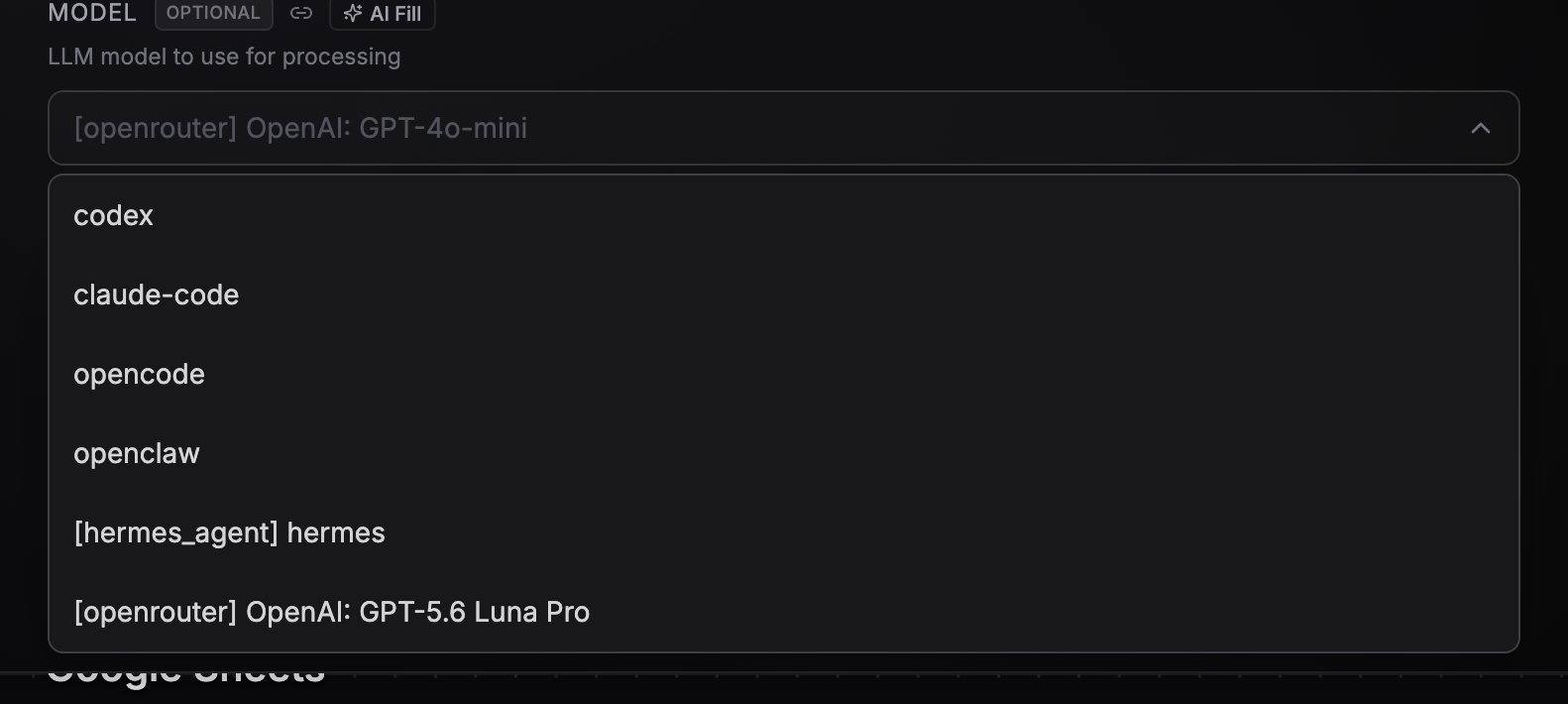
A dynamic dropdown loading its options live, with search.
Credentials on the node
Open the Credentials tab (K) to attach an account to the node. Pick an existing one from Select credential…, or create one in place: Connect new starts an OAuth flow, Create new takes an API key. See Connecting credentials for details and per-plan limits.
A node with a missing credential can’t run; the Credentials tab shows a warning state until one is connected. Nodes that run on NoClick’s own keys, and nodes wired into an agent where none of the operations you allowed needs an account, are not marked that way.
Next steps
Data references
Pass upstream output into config fields.
Running and testing
Run a single node to verify its config.