NoClick can email you about your account and workflows. Every alert goes to your account email, and you choose which types you receive in Settings → Notifications.

Alert types

TypeWhen you get it
Workflow failuresA workflow that runs on its own (from a schedule, webhook, inbound email, the API, or an MCP call) fails. The email names the workflow, the node that failed, and the error.
Credit balanceYour credits run low, or a run is blocked because your balance reached zero.
Weekly digestA Monday summary of your runs, failures, and credits used over the past week.
Manual runs do not send a failure email. Their errors show on the canvas while you work. Failure alerts cover only workflows that run without you watching.

Managing your alerts
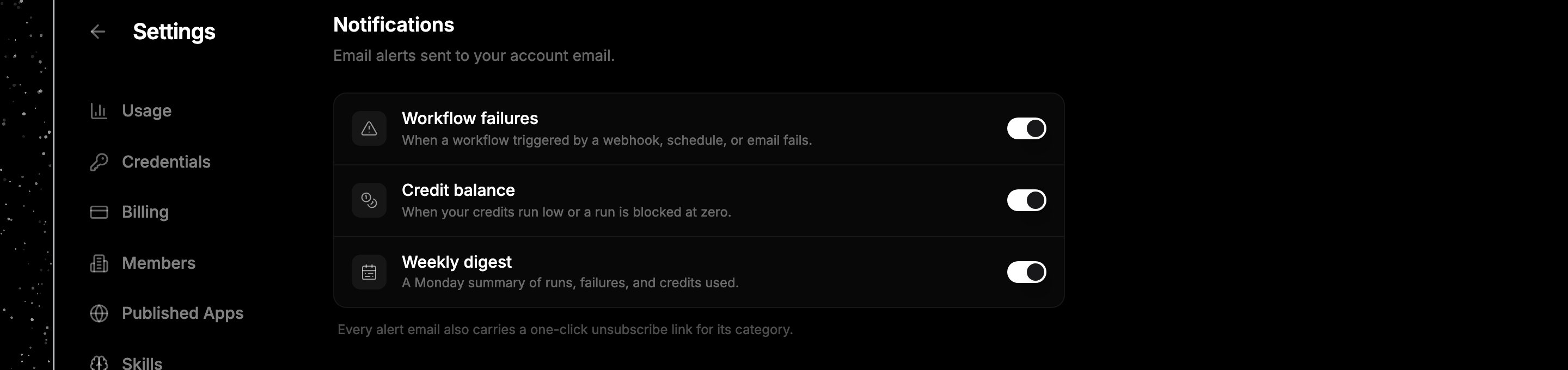
Notification settings panel showing toggles for workflow failures, credit balance, and weekly digest
1

Open notification settings

Go to Settings → Notifications. Each alert type has its own toggle.
2

Turn types on or off

Switch any type off to stop receiving those emails. Changes save as you toggle them.
Every alert email also carries a one-click unsubscribe link for its type, so you can opt out straight from your inbox.

Next steps