

Top-ups are not available on the Free plan. Free usage is bound by the 5 credits/day cap, so extra credits would not unlock more usage. Upgrade your plan instead.
Tiers
Larger tiers and yearly billing cost less per credit; the picker shows the discount on each tier.
How top-up credits reset
Top-up credits reset every month, even on yearly billing. A yearly top-up is 12 monthly quotas: each month you get the tier’s credits fresh, and unused credits do not roll over.Buying a top-up
1
Open billing settings
Go to Settings → Billing. The credit top-up card sits under your plan. You can also open the same picker by clicking your credit balance in the navigation bar, or preview plan plus top-up totals on the pricing page.
2
Click Add credits
The Add credits dialog lists every tier with its monthly and yearly price.
3
Pick a tier and check out
Choose a tier and billing interval, then complete checkout. The credits are available immediately.
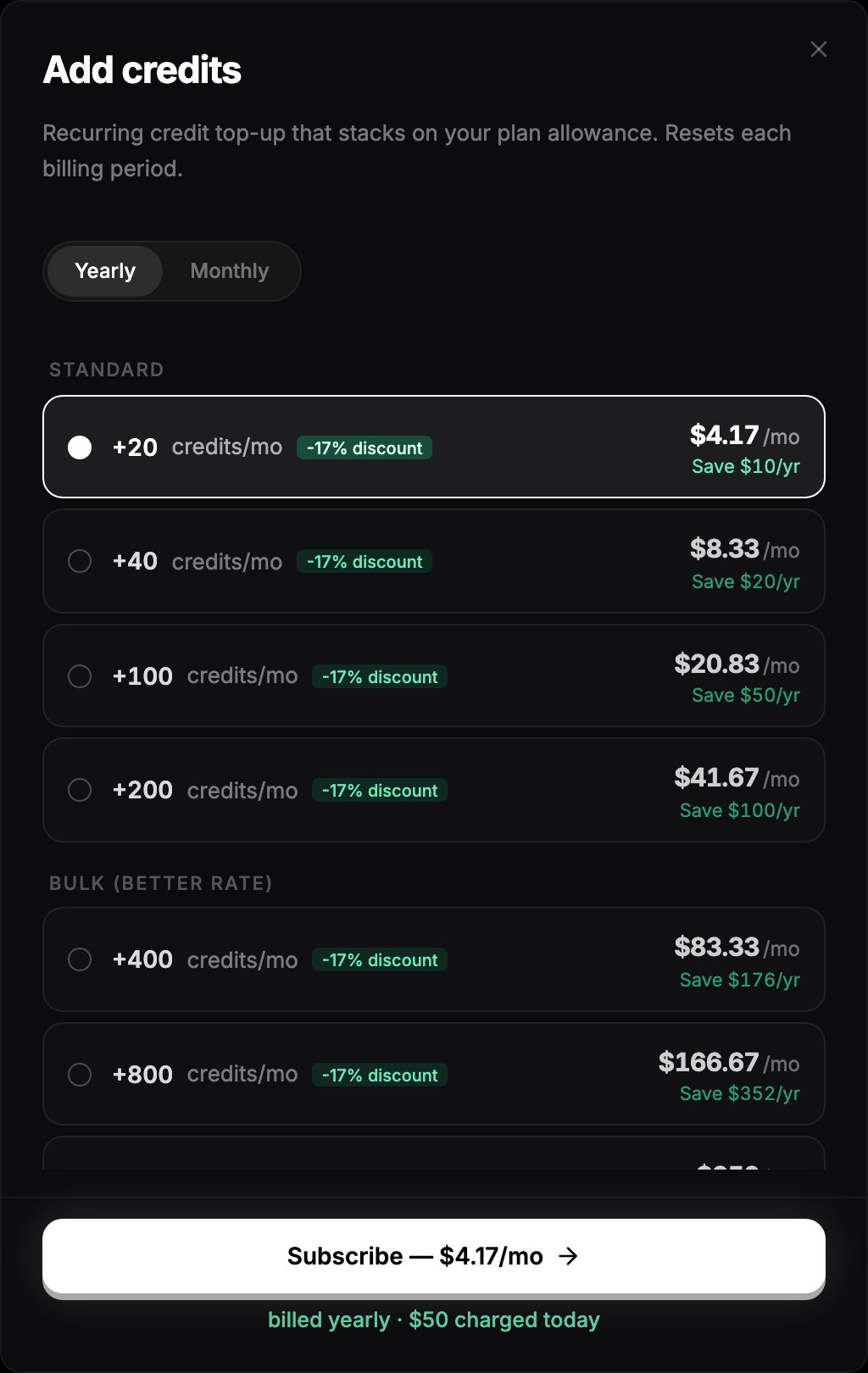
The Add credits dialog with the top-up tiers.
Changing or cancelling a top-up
With an active top-up, the card in Settings → Billing shows your current tier and renewal date.- Move to a larger tier: click Change tier and pick a bigger one. The upgrade takes effect immediately and starts a new cycle.
- Downgrade or cancel: click Manage to open the Stripe customer portal.