

noclick.run, created automatically when you add the node and shown in the config panel with a copy button.
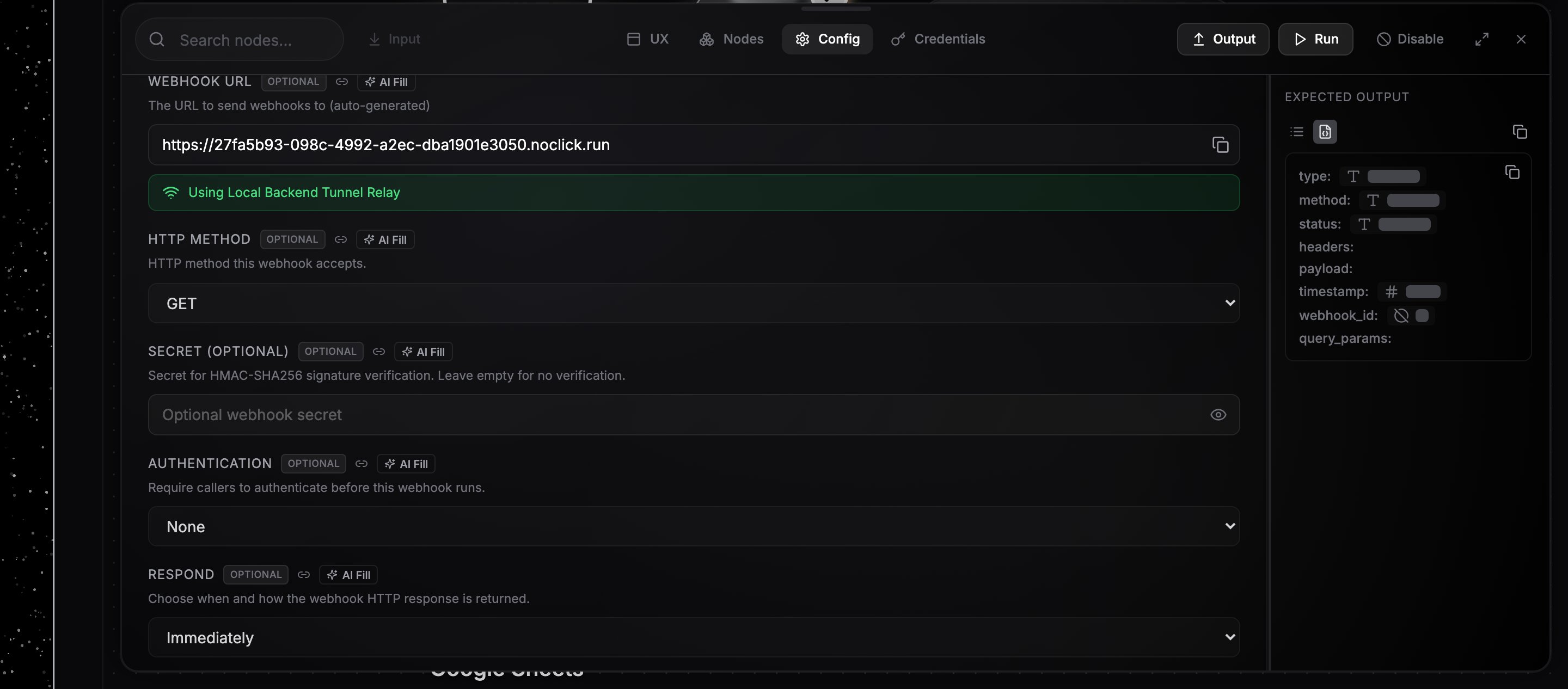
The Webhook node's config panel with the unique URL and copy button
Send a request
Pick the HTTP Method the webhook accepts (GET, POST, PUT, PATCH, or DELETE; POST is the default), then send a request to the URL:405.
Use the payload downstream
The trigger node’s output contains the request data:payload: the parsed JSON body (a non-JSON body lands inpayload.raw)headers: the request headersquery_params: URL query parametersmethod: the HTTP method
{{node-id.path}}, where node-id is the Webhook node’s ID. For the request above, {{webhook-1.payload.customer.email}} resolves to ada@example.com. The easiest way to build a reference is to run the trigger once, then drag a field from its output panel into a downstream config field. See Data references.
Response behavior
The Respond field controls what the caller gets back:- Immediately (default): the request returns a small JSON acknowledgment right away and the workflow runs in the background.
- When Last Node Finishes: the request stays open until the run completes, then returns the final node’s output as JSON. If the run fails, the caller receives a
500with the error.
Shape the response yourself
With When Last Node Finishes, the last node can decide the whole HTTP response. Return an object with these keys and nothing else:
A Serverless Function node that returns this shape serves a REST payload with the status you choose:
200, so a workflow can answer a browser as well as an API client:
Securing the webhook
- Secret: set a secret to require an HMAC-SHA256 signature of the request body, sent in the
X-Hub-Signature-256orX-Webhook-Signatureheader. Unsigned or mis-signed requests get a401. - Authentication: require Basic Auth, a fixed header value, or an HS256-signed JWT before the workflow runs.
Testing tips
- Send a sample request with
curland watch the run appear in the Logs tab with trigger sourceWebhook. - Click the run in Logs to replay it and inspect the exact payload the trigger received.
- Disable the node to stop runs while keeping the URL live; requests are acknowledged but nothing executes.