

Credential asks
If a node needs an account and you do not have a usable one connected, the builder asks you to connect it inline. The form shows the same connect flow as the node’s credential panel, so you can complete an OAuth sign-in or paste an API key without leaving the chat. This covers both kinds of service: the ones you sign in to and the ones that take a key you paste, such as Exa, Firecrawl, Perplexity, Resend, Twilio, Postgres, and the vector databases. The builder only asks when it has to. If you already have exactly one matching account connected, it attaches that account automatically and moves on. It also does not ask for a node that can run on NoClick’s own keys, or for an operation that needs no account at all.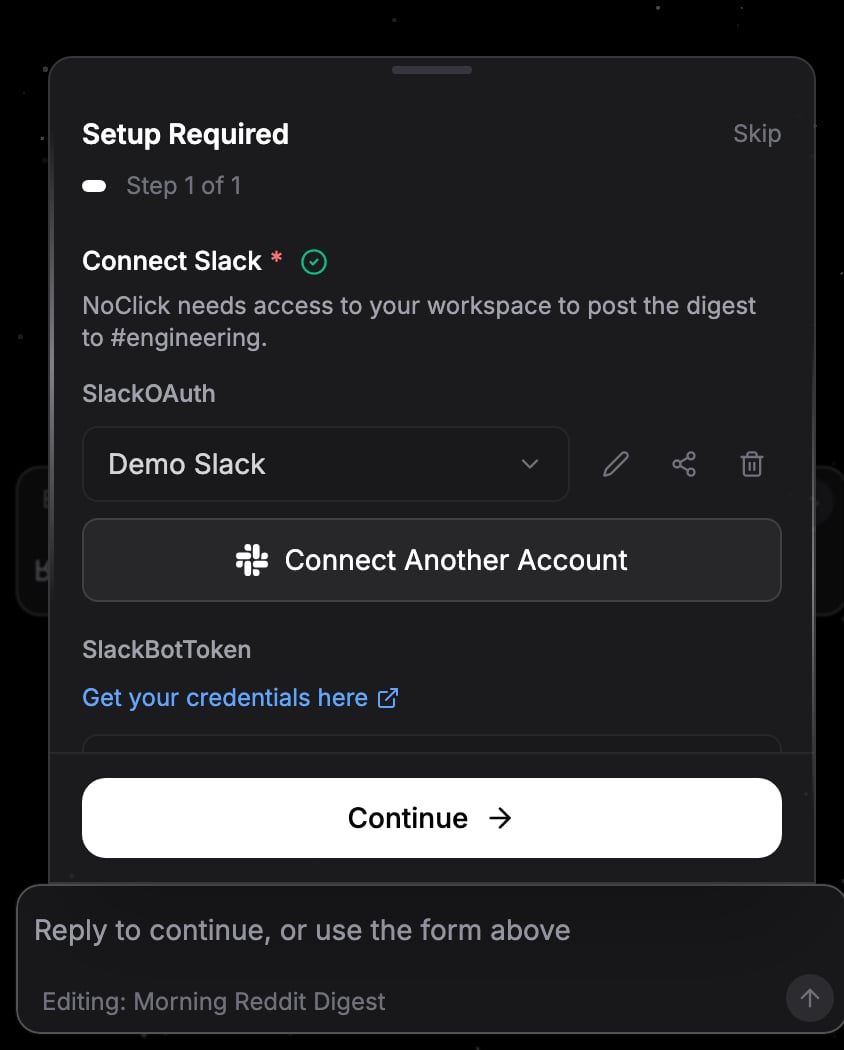
Connecting an account inline when the builder asks
Input asks
For values only you know, the builder asks with the most helpful input it can:- Live pickers that load options from your connected account, like which spreadsheet, channel, or database to use
- Multiple choice when it wants you to pick between options, with an “Other” field for your own answer. When several options can apply at once, they become checkboxes under a Select all that apply hint and you can tick as many as you need
- Free text for anything else
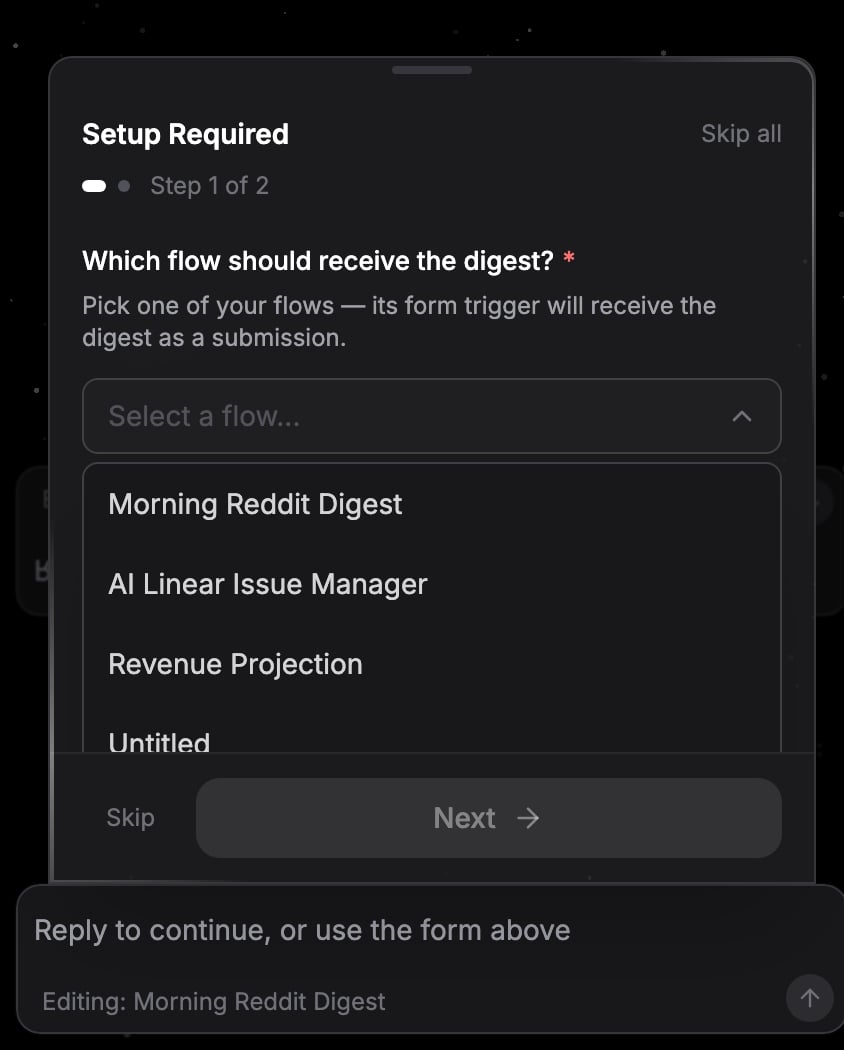
An input ask with a live option picker
Answering
1
Work through the steps
Multiple questions batch into a step-by-step form (“Step 1 of 3”). Required steps are marked with an asterisk. Click Next to advance and Continue on the last step to submit. Use Back to return to an earlier question.
2
Skip what you want
Click Skip to pass on the current question and move to the next one. The builder continues with whatever you have answered so far.
3
Or just reply in chat
You can type a reply in the chat input instead of using the form, for example “use the second one” or “I don’t have that account, do it without it”. Any fields you already filled in carry over with your reply, so you never repeat an answer.