

Configuration
Reviewing requests
Pending requests live under Needs you on the Dashboard tab in the top navigation (shortcutG then I). A badge on the tab shows how many things are waiting.
Each card shows the form fields filled with their resolved values. The reviewer can edit the values, then click Approve or Reject. The run resumes down the matching output handle:
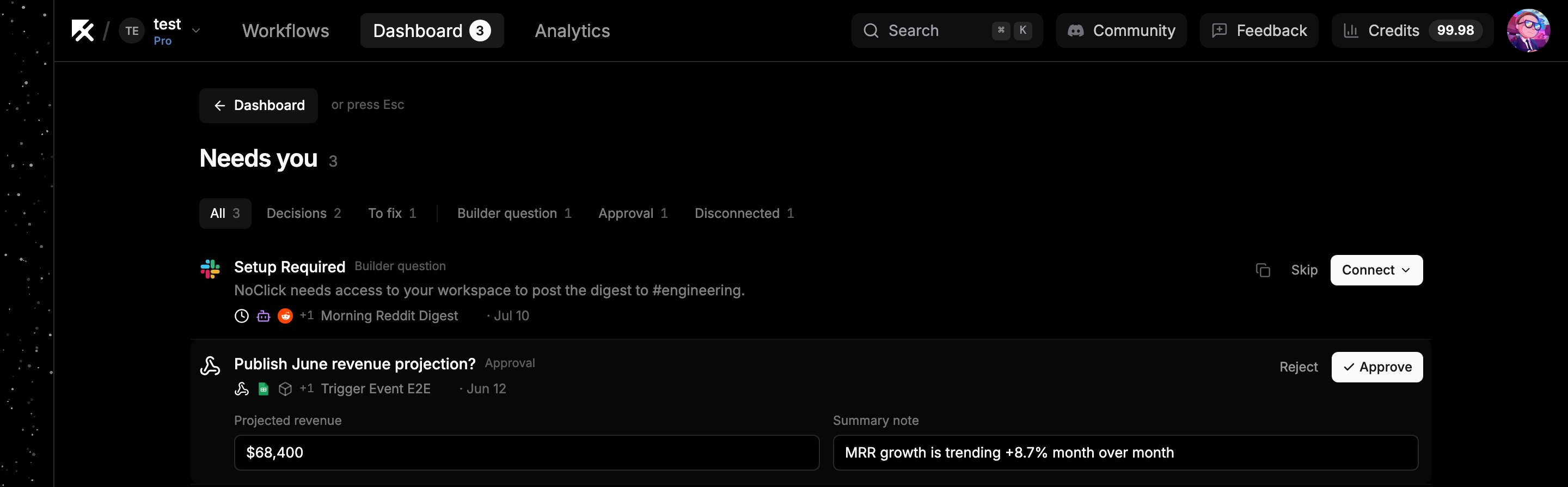
A pending approval, with editable fields and Approve/Reject actions
{{approval-id.values.field_name}}.
Example: an agent drafts a tweet, an Approval node shows it in a tweet_text field, and the Approved branch posts {{approval-id.values.tweet_text}} to X. The reviewer can tweak the wording right in the card before approving.
While a request is pending, the execution shows a waiting status in Execution logs. The card also links back to the workflow and node that created it.