

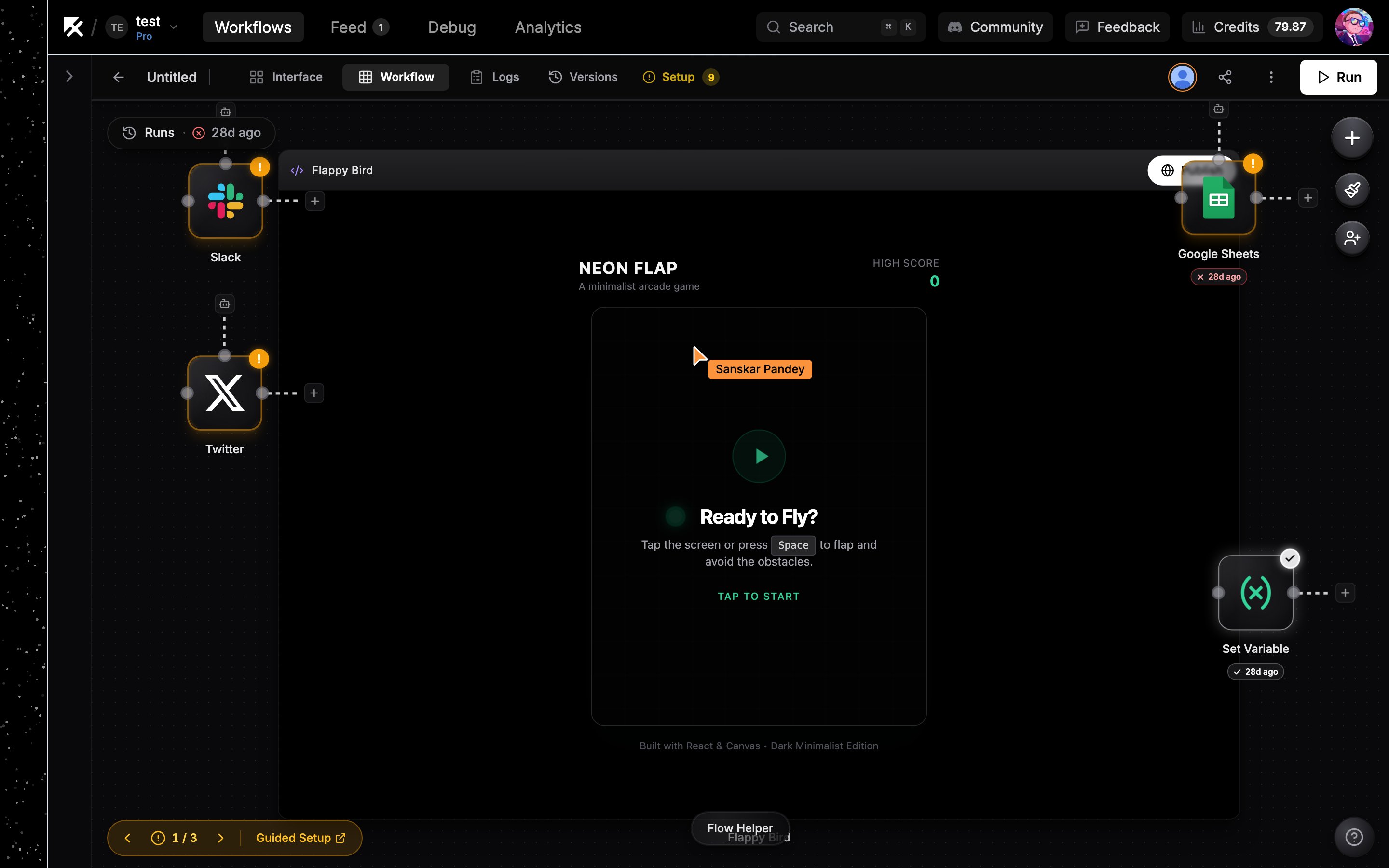
Two people editing the same workflow: avatar stack in the top bar and a named cursor on the canvas
See who’s here
Connected collaborators appear as a stack of avatars next to the Run button in the top bar. Hover the stack to see everyone’s name.Live cursors
Each collaborator’s pointer shows on the canvas in their own color with their name attached, so you can see where everyone is working as they move around the flow.Edits sync instantly
Changes appear for everyone the moment they happen:- Adding, moving, resizing, or deleting nodes
- Connecting and removing edges
- Editing a node’s configuration fields, including an AI agent’s model
Running nodes as a collaborator
When a collaborator runs a node on a shared workflow, credentials resolve as the workflow owner. The owner’s credentials are never copied into the collaborator’s account; the node’s credential panel shows them as “Owned by” the owner and shared with the flow. See Credential sharing for the full model.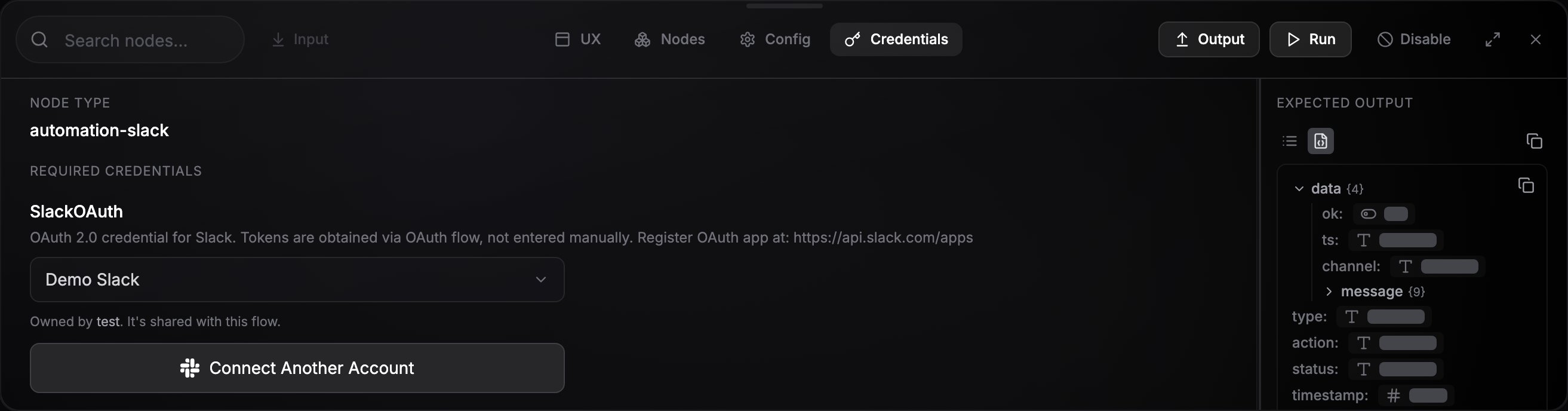
A shared credential shown in a collaborator's node config
Next steps
Share a workflow
Public links, direct shares, and collaboration invite links.
Organizations
A shared workspace for your whole team.