

Add it to an agent
Add a NoClick node and wire it into the AI agent’s bottom handle, the same way you wire any tool provider. It works with every agent type, including the in-process LLM agent and the CLI agents (Claude Code, Codex, OpenCode). The agent sees the tools with anoclick_ prefix: noclick_create_workflow, noclick_update_workflow, noclick_run_workflow, and so on.
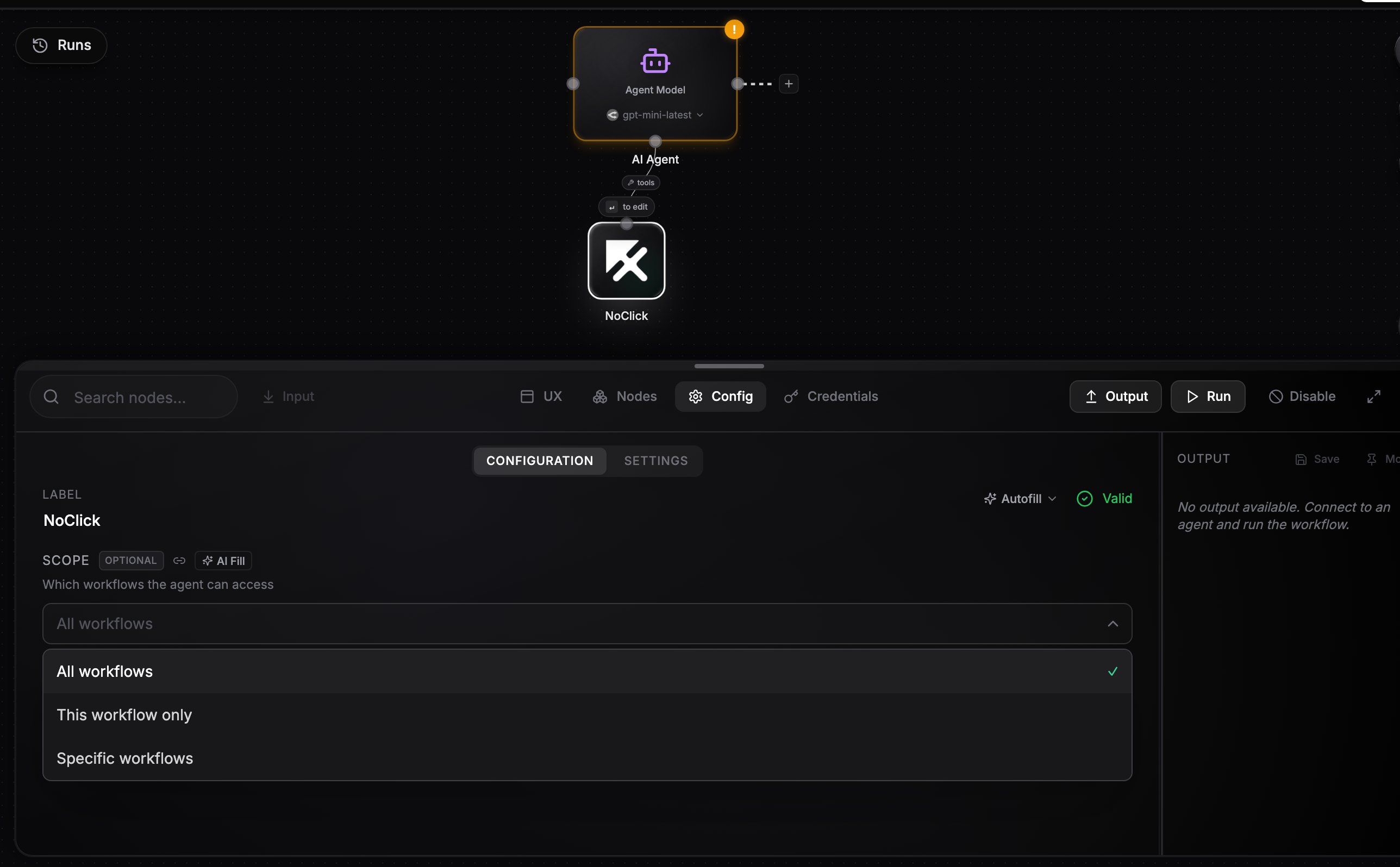
A NoClick node wired into an AI agent, with the Scope option open
Scope
The Scope field controls which workflows the agent can touch:
When scoped, workspace-level tools (creating, listing, and deleting workflows, folder and workspace management) are hidden, and
workflow_id parameters are filled in automatically so the agent cannot wander outside its scope. Browser-session tools like open_workflow are never included.
What an agent can do with it
- Create new workflows and wire up nodes with
noclick_update_workflow - Inspect and reconfigure nodes in existing workflows
- Run workflows or individual nodes and read their outputs
- Search your credentials to connect nodes that need authentication
Example: an agent that builds workflows on demand
Wire a Telegram trigger into an AI agent and a NoClick node into the agent’s bottom handle, with scope All workflows. Message it “build me a workflow that emails me a summary of my GitHub notifications every morning” and the agent creates the workflow, adds and configures the nodes, runs a test, and replies with the result. You get a workflow factory you can drive from chat.The agent acts as you. With All workflows scope it can modify and delete any workflow in your workspace, so scope it down when the agent only needs to manage itself.
Next steps
Available MCP tools
The full list of tools the agent can call.
Agent tools
All the ways to give agents tools.