> ## Documentation Index
> Fetch the complete documentation index at: https://docs.noclick.com/llms.txt
> Use this file to discover all available pages before exploring further.
# Common errors
> Diagnose failed runs, credit errors, missing required fields, and provider rate limits.
## A run failed
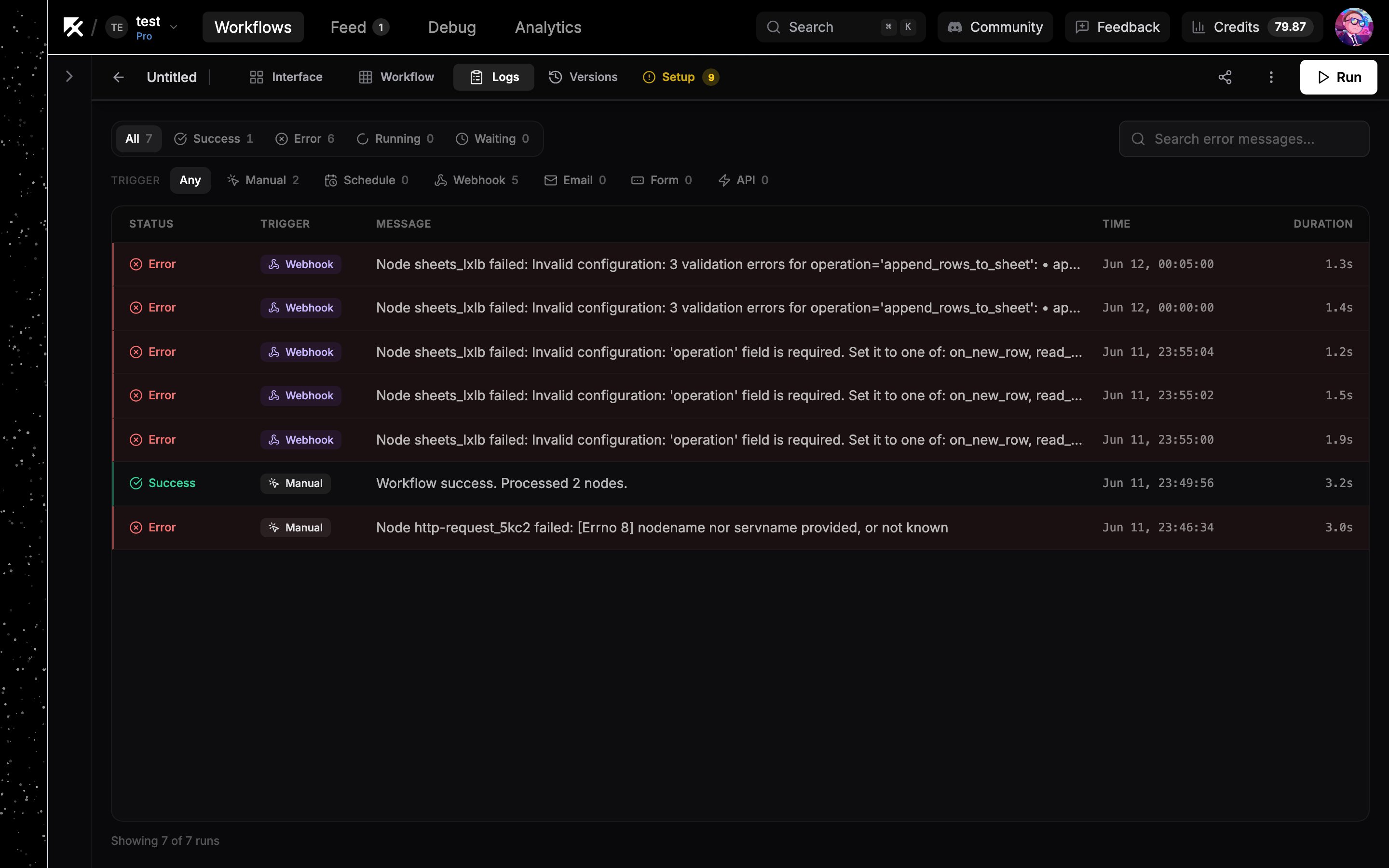
Start in the **Logs** tab (`L`). Failed runs show an **Error** status with the error message in the row; the search box finds runs by error text.
Click the run row to replay it on the canvas: nodes carry success or error rings, so the failing step is visible at a glance. Click the failed node to see the exact inputs it received and the error it produced, then fix the config and run again. See [Execution logs](/editor/execution-logs).
 ## Insufficient credits
A run needs a minimum balance of 0.20 credits to start. Below that, runs fail with an "Insufficient credits" error and the app tells you you're out of credits.
* Check your balance and recent spend in **Settings → Usage** ([Usage dashboard](/billing/usage-dashboard)).
* On the Free plan there's also a daily cap of 5 credits, so runs can stop for the day even with monthly credits left.
* Plan credits reset monthly; to keep going now, [buy a top-up](/billing/top-ups) or upgrade your [plan](/billing/plans).
* Organization workflows draw from the org owner's credit pool, so check the owner's balance, not the runner's.
Integration nodes running on your own connected accounts cost nothing. Credits cover NoClick-keyed AI usage, the AI builder, and a few metered APIs. See [What costs credits](/billing/costs).
## Required fields missing
A node with unfilled required fields can't run correctly. Two places surface this:
* In the node's config panel, unfilled **Required** fields carry an amber badge.
* The amber **Setup** tab appears in the top bar (shortcut `S`) with a count of everything unfilled across the workflow: operations, credentials, and required fields. It walks you through them one at a time.
A node with no credential attached shows a warning in its **Credentials** tab; connect an account there ([Connecting accounts](/credentials/connecting)).
## Rate limits from providers
Third-party APIs throttle heavy use. When a provider rejects a call for rate limiting, the provider's error appears as the node's error in Logs. Usually waiting and rerunning is enough. If it keeps happening:
* Space out [scheduled runs](/triggers/schedules) or process fewer items per run.
* On providers that support it, [bring your own OAuth app](/credentials/custom-oauth) or API key so you get your own quota.
* Route failures down a dedicated branch with [error handling](/logic/error-handling) so one throttled call doesn't sink the whole run.
## Insufficient credits
A run needs a minimum balance of 0.20 credits to start. Below that, runs fail with an "Insufficient credits" error and the app tells you you're out of credits.
* Check your balance and recent spend in **Settings → Usage** ([Usage dashboard](/billing/usage-dashboard)).
* On the Free plan there's also a daily cap of 5 credits, so runs can stop for the day even with monthly credits left.
* Plan credits reset monthly; to keep going now, [buy a top-up](/billing/top-ups) or upgrade your [plan](/billing/plans).
* Organization workflows draw from the org owner's credit pool, so check the owner's balance, not the runner's.
Integration nodes running on your own connected accounts cost nothing. Credits cover NoClick-keyed AI usage, the AI builder, and a few metered APIs. See [What costs credits](/billing/costs).
## Required fields missing
A node with unfilled required fields can't run correctly. Two places surface this:
* In the node's config panel, unfilled **Required** fields carry an amber badge.
* The amber **Setup** tab appears in the top bar (shortcut `S`) with a count of everything unfilled across the workflow: operations, credentials, and required fields. It walks you through them one at a time.
A node with no credential attached shows a warning in its **Credentials** tab; connect an account there ([Connecting accounts](/credentials/connecting)).
## Rate limits from providers
Third-party APIs throttle heavy use. When a provider rejects a call for rate limiting, the provider's error appears as the node's error in Logs. Usually waiting and rerunning is enough. If it keeps happening:
* Space out [scheduled runs](/triggers/schedules) or process fewer items per run.
* On providers that support it, [bring your own OAuth app](/credentials/custom-oauth) or API key so you get your own quota.
* Route failures down a dedicated branch with [error handling](/logic/error-handling) so one throttled call doesn't sink the whole run.