> ## Documentation Index
> Fetch the complete documentation index at: https://docs.noclick.com/llms.txt
> Use this file to discover all available pages before exploring further.
# Setup
> A checklist derived from your workflow that lists every account, value, and choice still standing between it and a real run.
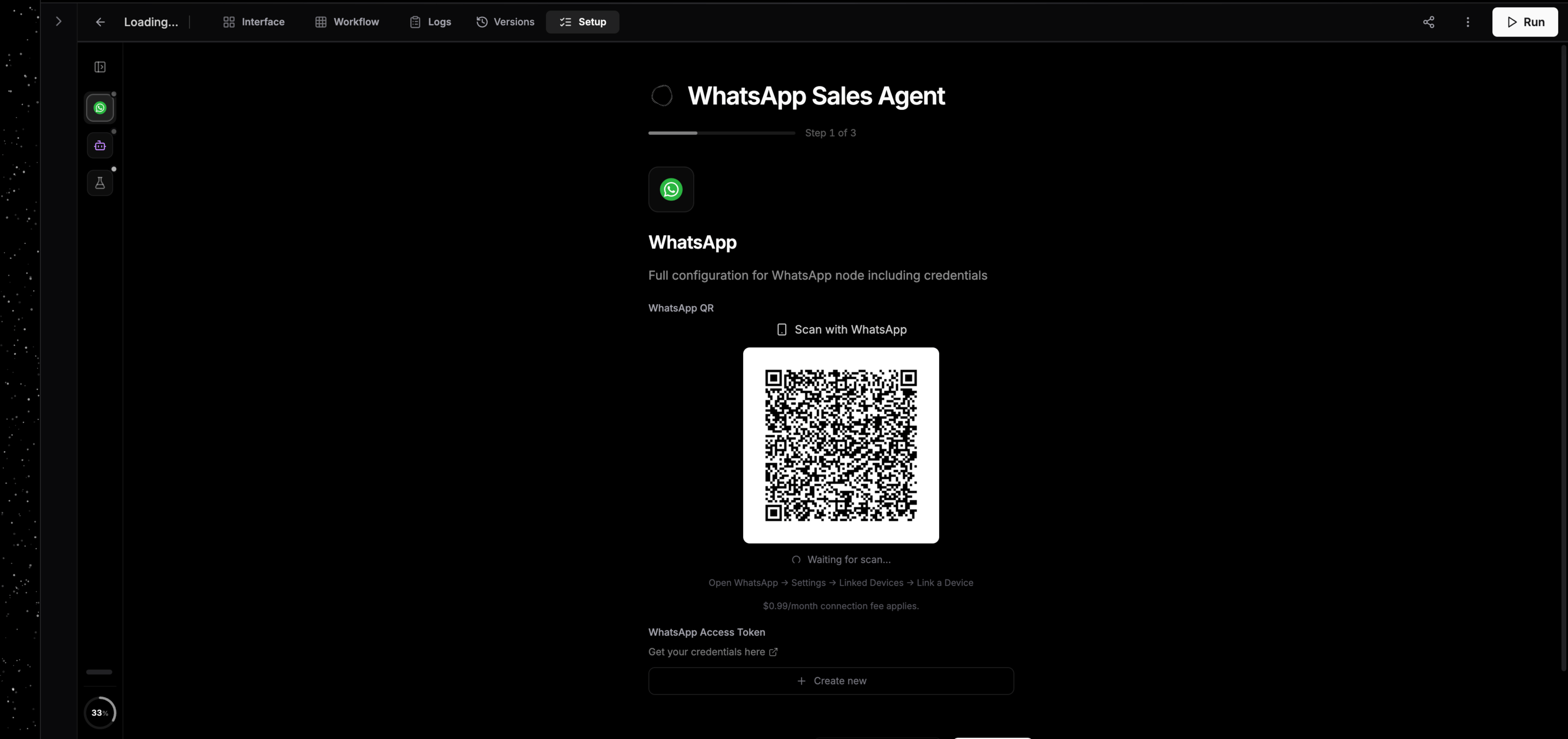
The **Setup** tab reads your workflow and lists what it still needs before it can run for real. Nothing is stored: the list is derived from the workflow every time you open it, so it is always current and it empties itself as you work.
Open it from the **Setup** tab in the canvas top bar, or press `S`.
## What ends up on the list
Steps appear in the order you need them, and each one is a thing you can finish on the spot.
| Step | When it appears |
| ------------------------- | ------------------------------------------------------------------ |
| Connect an account | A node needs a credential and has none |
| Choose what it does | A node has no action picked yet, so what it needs is still unknown |
| Fill in a field | A required field is empty |
| Fill a variable | A [workflow variable](/editor/workflow-variables) has no value |
| Which agent should run it | The workflow has an agent, so you pick what runs it |
| Test Run or Connect | The finale, once the rest is clear |
Two nodes for the same service ask once. A WhatsApp trigger and the WhatsApp node the agent replies through are one account, so Setup merges them into a single step and connecting it covers both.
The rail on the left groups steps by node and tracks progress. Click any step to jump to it; the finale never counts toward the progress number, since it is a destination rather than a debt.
 ## Which agent should run it
If the workflow has an agent node, Setup asks what it runs on. **Platform managed** runs on NoClick's key and is ready with no account. The coding agent harnesses run on your own account, so this step shows what each one needs and whether it is already connected. See [Models and harnesses](/agents/models).
## The finale
Setup ends on something worth doing rather than an empty checklist.
For a workflow that hosts an MCP server, the last step is the connect step: numbered instructions for your coding agent, the command to run, and a live status panel that flips from waiting to **Connected** as soon as your client calls the server. See [Create your own MCP server](/mcp/hosted-servers).
For everything else, the last step is a [Test Run](/agents/test-runs): the agent handles a staged event while every tool call is answered with made-up data. You can run it before finishing the rest of setup, since nothing needs to be live for the simulation to work.
## Skipping a step
Nothing here blocks you. A step you skip becomes a warning that names what breaks rather than a gate: an agent with no connected account still runs, it just cannot do the part that needed the account. The same warning appears in three places, and they always agree with each other: at the end of Setup, under **To make this real** on the Test Run screen, and above the agent's chat box.
## Setup after a fork
Taking a copy of a template opens Setup full screen, which is the whole onboarding rather than a tab inside the canvas. Work through it and click the ✕ to drop into the normal workspace at any point. See [Using templates](/templates/using).
## Next steps
Declare the values Setup should ask for.
Watch the agent work before anything is live.
How accounts get connected.
Run the whole workflow or a single node.
## Which agent should run it
If the workflow has an agent node, Setup asks what it runs on. **Platform managed** runs on NoClick's key and is ready with no account. The coding agent harnesses run on your own account, so this step shows what each one needs and whether it is already connected. See [Models and harnesses](/agents/models).
## The finale
Setup ends on something worth doing rather than an empty checklist.
For a workflow that hosts an MCP server, the last step is the connect step: numbered instructions for your coding agent, the command to run, and a live status panel that flips from waiting to **Connected** as soon as your client calls the server. See [Create your own MCP server](/mcp/hosted-servers).
For everything else, the last step is a [Test Run](/agents/test-runs): the agent handles a staged event while every tool call is answered with made-up data. You can run it before finishing the rest of setup, since nothing needs to be live for the simulation to work.
## Skipping a step
Nothing here blocks you. A step you skip becomes a warning that names what breaks rather than a gate: an agent with no connected account still runs, it just cannot do the part that needed the account. The same warning appears in three places, and they always agree with each other: at the end of Setup, under **To make this real** on the Test Run screen, and above the agent's chat box.
## Setup after a fork
Taking a copy of a template opens Setup full screen, which is the whole onboarding rather than a tab inside the canvas. Work through it and click the ✕ to drop into the normal workspace at any point. See [Using templates](/templates/using).
## Next steps
Declare the values Setup should ask for.
Watch the agent work before anything is live.
How accounts get connected.
Run the whole workflow or a single node.