> ## Documentation Index
> Fetch the complete documentation index at: https://docs.noclick.com/llms.txt
> Use this file to discover all available pages before exploring further.
# Connecting accounts
> Connect a service with OAuth or an API key from any node, and manage all your credentials in Settings.
A credential is a connected account or API key. You connect a service once, then reuse that credential across every workflow and node that needs it.
## Connect from a node
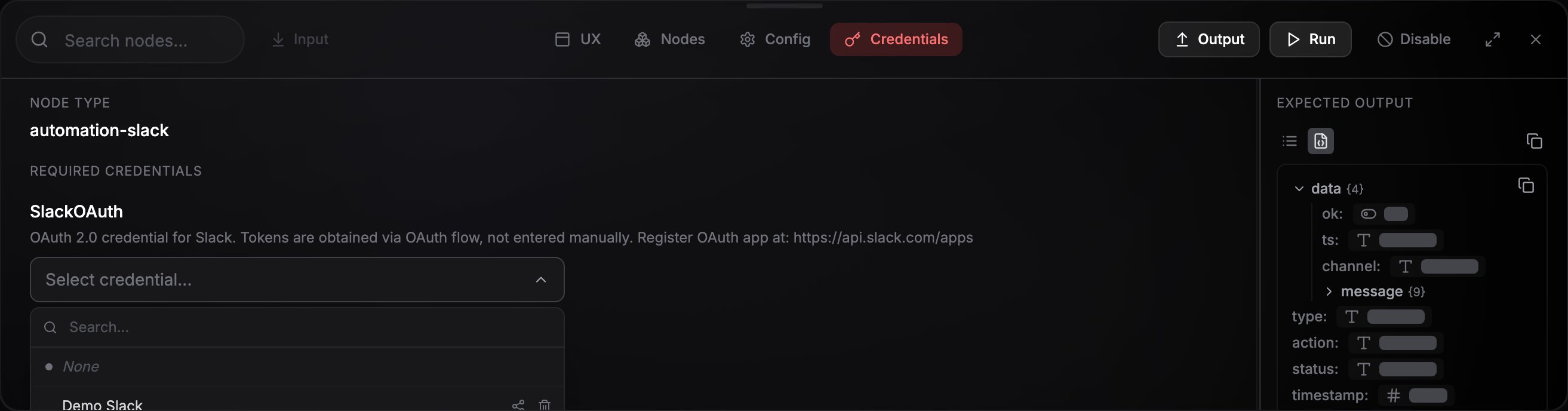
Click the node, then open the **Credentials** tab (`K`) in the config panel.
Choose an existing account from **Select credential...**, or create one in place. The dropdown's footer offers **Connect new** for OAuth services and **Create new** for API-key services.
For OAuth, a provider sign-in window opens; approve access and the window closes. For API keys, paste your key into the form. Either way the new credential is selected on the node automatically.
 ### OAuth services
Around 25 services (Google, Slack, GitHub, Notion, X, and more) connect with a browser consent flow: click **Connect \[Service] Account**, sign in, approve the requested permissions, done. NoClick stores the resulting tokens and [refreshes them automatically](/credentials/security), so you don't need to reconnect when they expire.
A few providers ask for one extra detail before the sign-in window opens, like your Shopify store name or your Jira site.
### API-key services
Other services use a key you paste in. The form lists exactly the fields the service needs, and most include a **Get your API key here** link that takes you to the provider page where the key is issued.
WhatsApp is the exception to both patterns: it connects by scanning a QR code with your phone.
## Manage credentials in Settings
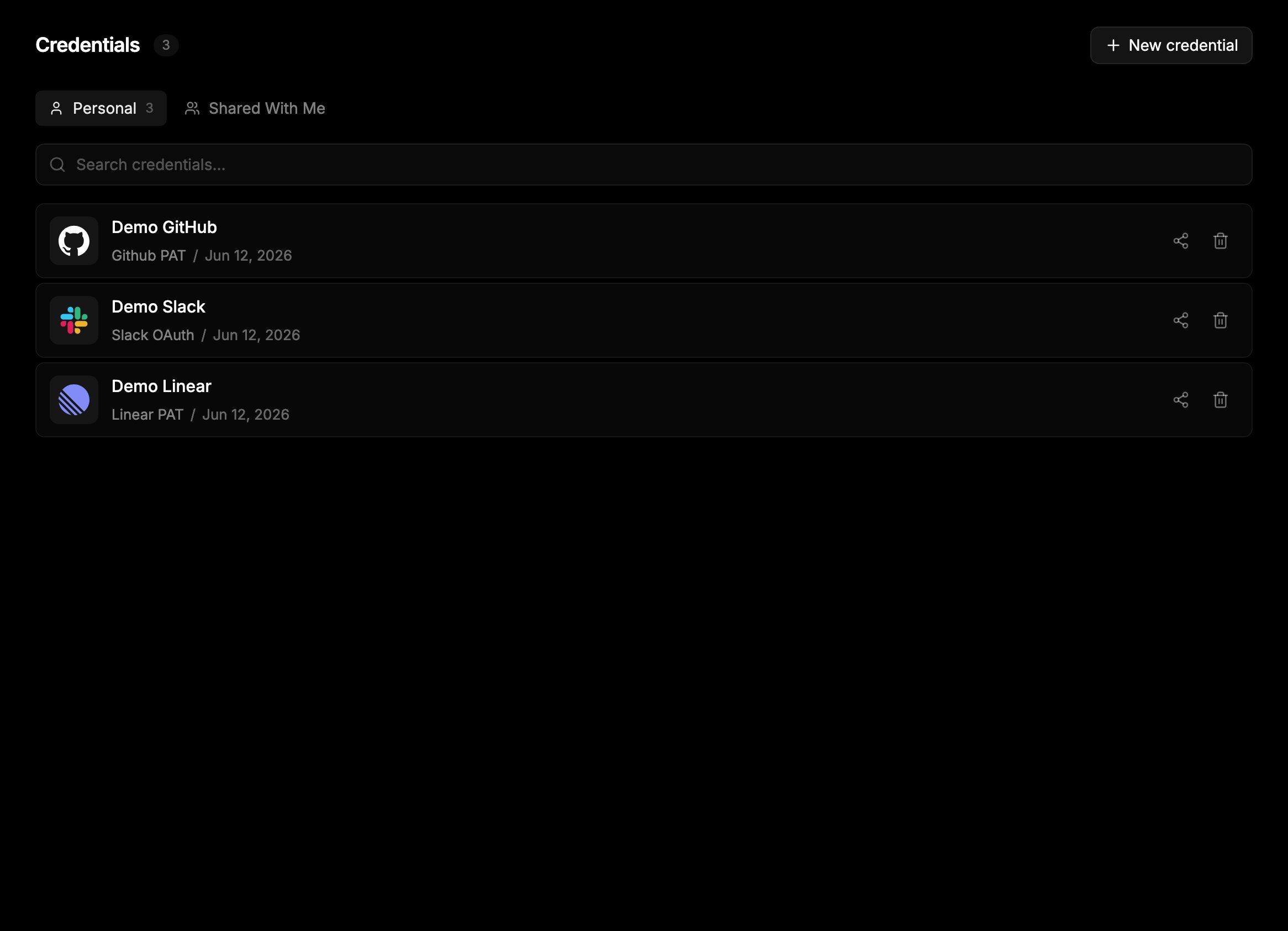
**Settings → Credentials** lists every credential you can use, grouped into **Personal**, **Shared With Me**, and (when you're in an organization) **Organization** tabs. From here you can search, create credentials with **New credential**, share a credential, or delete one.
### OAuth services
Around 25 services (Google, Slack, GitHub, Notion, X, and more) connect with a browser consent flow: click **Connect \[Service] Account**, sign in, approve the requested permissions, done. NoClick stores the resulting tokens and [refreshes them automatically](/credentials/security), so you don't need to reconnect when they expire.
A few providers ask for one extra detail before the sign-in window opens, like your Shopify store name or your Jira site.
### API-key services
Other services use a key you paste in. The form lists exactly the fields the service needs, and most include a **Get your API key here** link that takes you to the provider page where the key is issued.
WhatsApp is the exception to both patterns: it connects by scanning a QR code with your phone.
## Manage credentials in Settings
**Settings → Credentials** lists every credential you can use, grouped into **Personal**, **Shared With Me**, and (when you're in an organization) **Organization** tabs. From here you can search, create credentials with **New credential**, share a credential, or delete one.
 To rename a credential or replace its key, select it on a node and use the **Edit credential** button next to the picker. Existing secret values are never shown back; you re-enter them when updating.
Removing NoClick from the provider's side does not usually delete the credential here, so delete it yourself when you no longer need it. Pipedrive is the exception: if you uninstall the NoClick app in Pipedrive, the Pipedrive account you signed in with is deleted from your credentials for you, along with any sharing on it.
## Per-plan limits
Each plan caps how many credentials you can hold per service:
| Plan | Credentials per service |
| ---------- | ----------------------- |
| Free | 1 |
| Plus | 3 |
| Pro | Unlimited |
| Enterprise | Unlimited |
Hitting the cap shows an upgrade prompt when you try to connect another account of the same type.
## Next steps
Use your own client ID and secret on supported providers.
How collaborators and teammates use your connections.
To rename a credential or replace its key, select it on a node and use the **Edit credential** button next to the picker. Existing secret values are never shown back; you re-enter them when updating.
Removing NoClick from the provider's side does not usually delete the credential here, so delete it yourself when you no longer need it. Pipedrive is the exception: if you uninstall the NoClick app in Pipedrive, the Pipedrive account you signed in with is deleted from your credentials for you, along with any sharing on it.
## Per-plan limits
Each plan caps how many credentials you can hold per service:
| Plan | Credentials per service |
| ---------- | ----------------------- |
| Free | 1 |
| Plus | 3 |
| Pro | Unlimited |
| Enterprise | Unlimited |
Hitting the cap shows an upgrade prompt when you try to connect another account of the same type.
## Next steps
Use your own client ID and secret on supported providers.
How collaborators and teammates use your connections.