> ## Documentation Index
> Fetch the complete documentation index at: https://docs.noclick.com/llms.txt
> Use this file to discover all available pages before exploring further.
# Work together in real time
> Every workflow canvas is multiplayer: presence avatars, live named cursors, and edits that sync instantly to everyone.
Every workflow canvas is multiplayer. When a collaborator opens a workflow you've [shared](/collaboration/sharing), you both work on the same live canvas. There is nothing to enable.
 ## See who's here
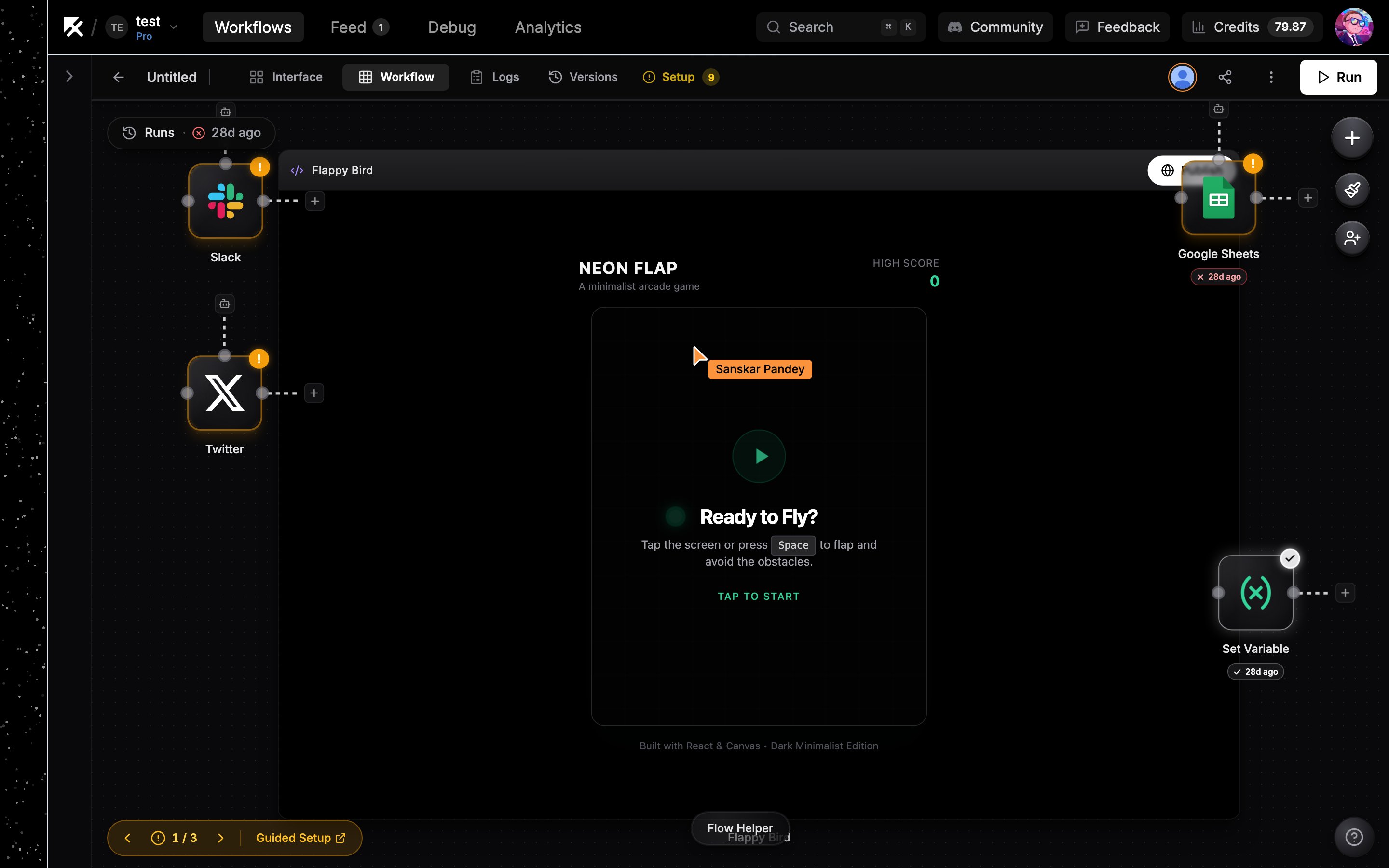
Connected collaborators appear as a stack of avatars next to the **Run** button in the top bar. Hover the stack to see everyone's name.
## Live cursors
Each collaborator's pointer shows on the canvas in their own color with their name attached, so you can see where everyone is working as they move around the flow.
## Edits sync instantly
Changes appear for everyone the moment they happen:
* Adding, moving, resizing, or deleting nodes
* Connecting and removing edges
* Editing a node's configuration fields, including an AI agent's model
There is no save or refresh step. If two people edit at once, changes merge automatically.
## Running nodes as a collaborator
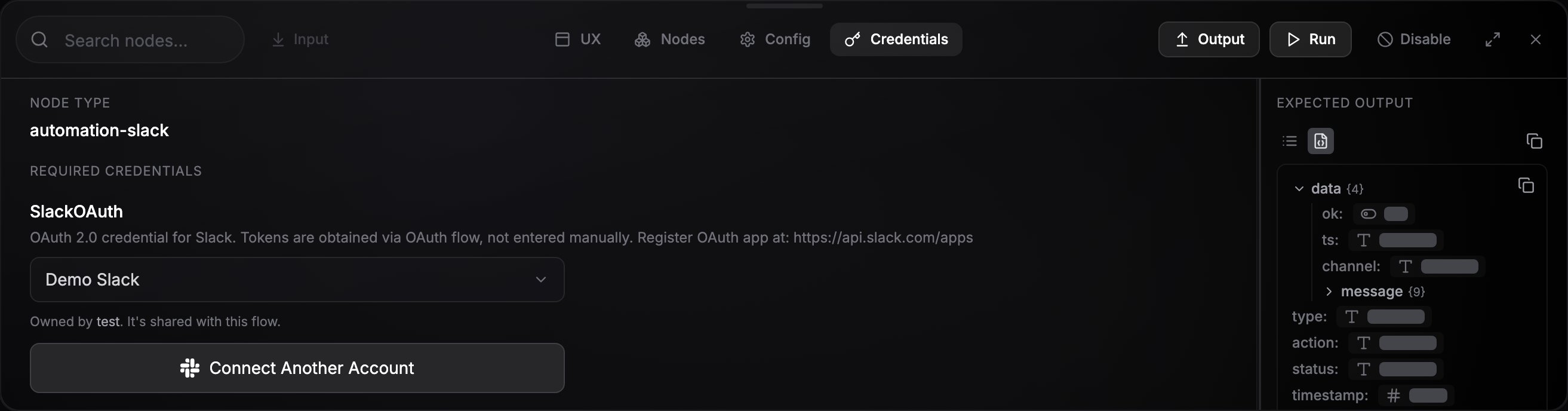
When a collaborator runs a node on a shared workflow, credentials resolve as the workflow owner. The owner's credentials are never copied into the collaborator's account; the node's credential panel shows them as "Owned by" the owner and shared with the flow.
See [Credential sharing](/credentials/sharing) for the full model.
## See who's here
Connected collaborators appear as a stack of avatars next to the **Run** button in the top bar. Hover the stack to see everyone's name.
## Live cursors
Each collaborator's pointer shows on the canvas in their own color with their name attached, so you can see where everyone is working as they move around the flow.
## Edits sync instantly
Changes appear for everyone the moment they happen:
* Adding, moving, resizing, or deleting nodes
* Connecting and removing edges
* Editing a node's configuration fields, including an AI agent's model
There is no save or refresh step. If two people edit at once, changes merge automatically.
## Running nodes as a collaborator
When a collaborator runs a node on a shared workflow, credentials resolve as the workflow owner. The owner's credentials are never copied into the collaborator's account; the node's credential panel shows them as "Owned by" the owner and shared with the flow.
See [Credential sharing](/credentials/sharing) for the full model.
 ## Next steps
Public links, direct shares, and collaboration invite links.
A shared workspace for your whole team.
## Next steps
Public links, direct shares, and collaboration invite links.
A shared workspace for your whole team.