> ## Documentation Index
> Fetch the complete documentation index at: https://docs.noclick.com/llms.txt
> Use this file to discover all available pages before exploring further.
# Editing with the builder
> Iterate on an existing workflow by describing changes in plain language. The builder edits in place and keeps the rest of your graph intact.
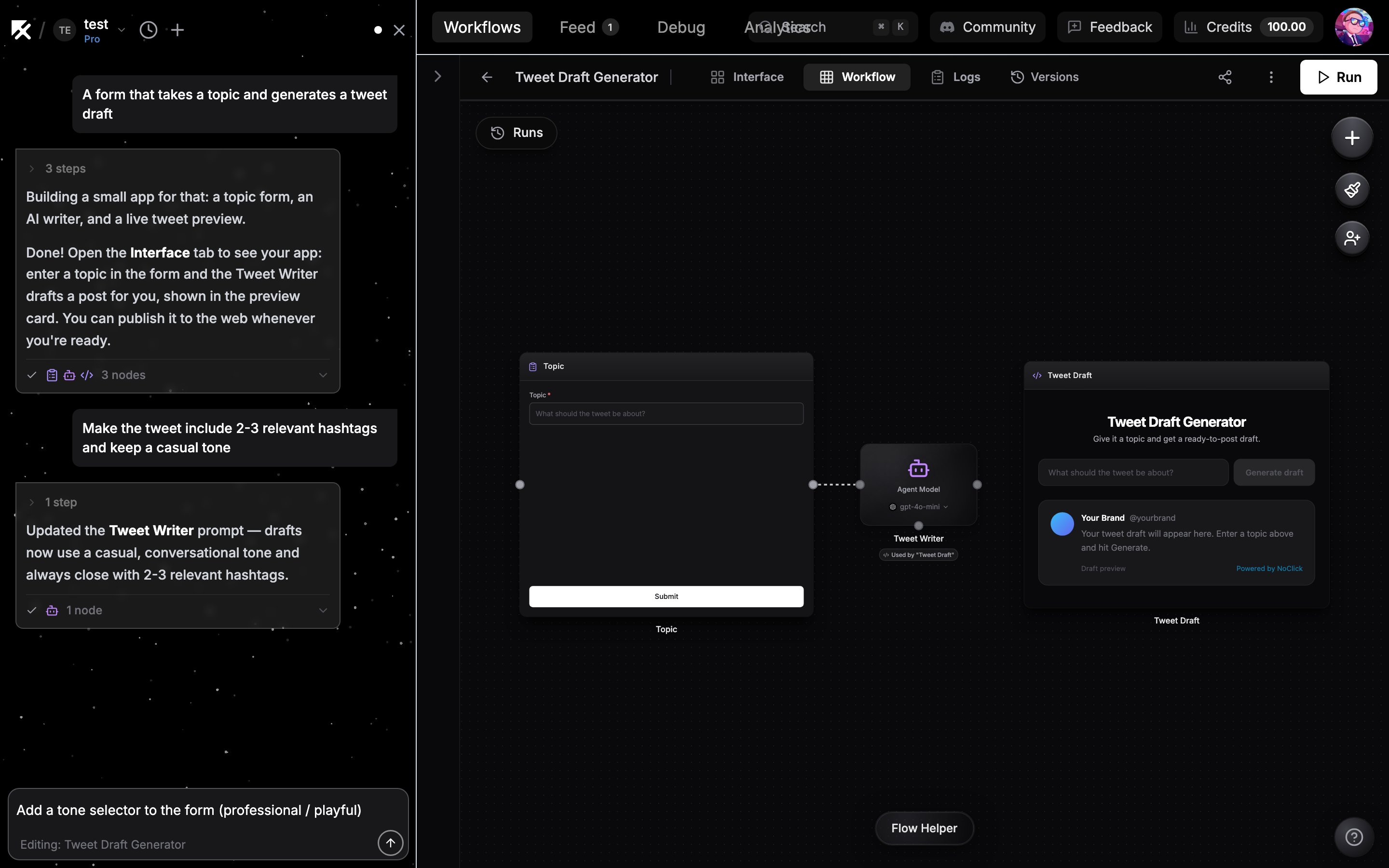
The builder is not just for the first draft. With a workflow open, the chat input switches to edit mode ("Editing: your workflow name") and anything you type is applied to that workflow.
Describe the change the way you would to a teammate:
* "Add a filter so only emails from customers get through"
* "Post the summary to #general instead of #random"
* "Make the schedule run hourly on weekdays"
 ## Your existing nodes are preserved
The builder reads your current workflow and makes targeted changes. It adds, reconfigures, rewires, or removes only what your request needs; every other node, connection, and setting stays as it is. The chat shows a card for each node it touched so you can see exactly what changed.
Before a large rework, save a snapshot from the **Versions** panel (shortcut `V`) so you can restore the workflow if you do not like the result. See [Version history](/editor/version-history).
## When to edit on the canvas instead
Direct canvas editing is the better tool when you already know the exact change:
* Setting one field to a precise value, especially from a dropdown you can see
* Rewiring a single connection or repositioning nodes
* Quick toggles like disabling a node
Hand edits are instant and free, while every builder message runs a generation that [uses credits](/builder/models). Use the builder for changes that span several nodes or that you would rather describe than configure; see [Configuring nodes](/editor/configuring-nodes) for the manual side.
## Your existing nodes are preserved
The builder reads your current workflow and makes targeted changes. It adds, reconfigures, rewires, or removes only what your request needs; every other node, connection, and setting stays as it is. The chat shows a card for each node it touched so you can see exactly what changed.
Before a large rework, save a snapshot from the **Versions** panel (shortcut `V`) so you can restore the workflow if you do not like the result. See [Version history](/editor/version-history).
## When to edit on the canvas instead
Direct canvas editing is the better tool when you already know the exact change:
* Setting one field to a precise value, especially from a dropdown you can see
* Rewiring a single connection or repositioning nodes
* Quick toggles like disabling a node
Hand edits are instant and free, while every builder message runs a generation that [uses credits](/builder/models). Use the builder for changes that span several nodes or that you would rather describe than configure; see [Configuring nodes](/editor/configuring-nodes) for the manual side.