> ## Documentation Index
> Fetch the complete documentation index at: https://docs.noclick.com/llms.txt
> Use this file to discover all available pages before exploring further.
# When the builder asks
> The AI builder pauses and shows a form when it needs an account connection or a value only you know. Answer it and the build resumes.
When the builder hits something it cannot decide on its own, it pauses and opens a form above the chat input instead of guessing. There are two kinds of questions.
## Credential asks
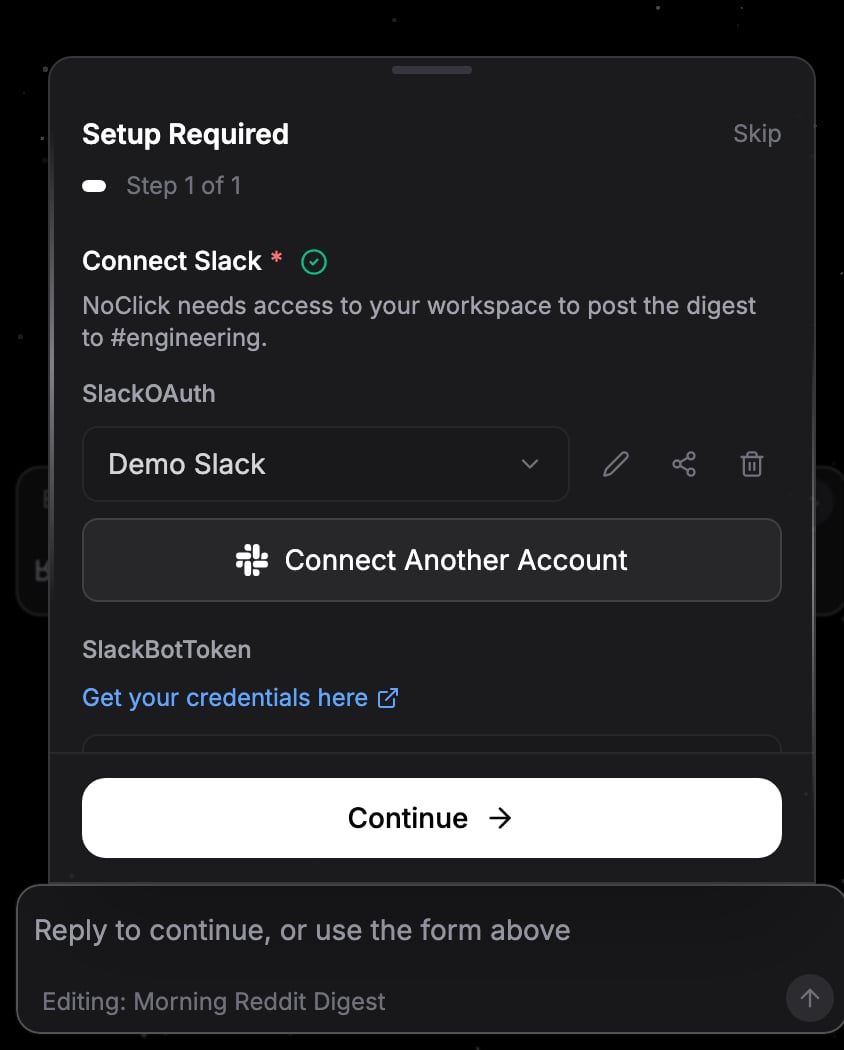
If a node needs an account and you do not have a usable one connected, the builder asks you to connect it inline. The form shows the same connect flow as the node's credential panel, so you can complete an OAuth sign-in or paste an API key without leaving the chat.
The builder only asks when it has to. If you already have exactly one matching account connected, it attaches that account automatically and moves on.
 ## Input asks
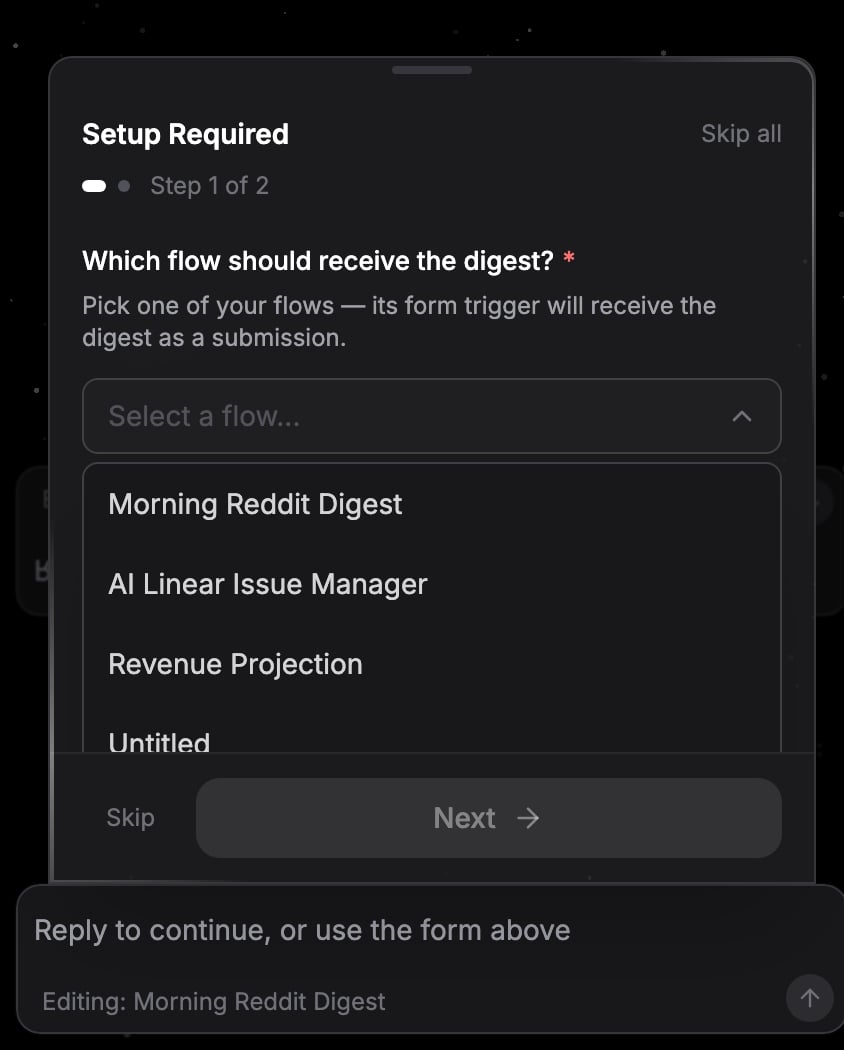
For values only you know, the builder asks with the most helpful input it can:
* **Live pickers** that load options from your connected account, like which spreadsheet, channel, or database to use
* **Multiple choice** when it wants you to pick between options, with an "Other" field for your own answer
* **Free text** for anything else
Some fields offer a shortcut instead of an answer. When a picker is for a resource you can create, like a spreadsheet, a board, a database, or a repository, it includes a **Create new** button that has the builder create one for you and use it, so you do not have to set it up first.
## Input asks
For values only you know, the builder asks with the most helpful input it can:
* **Live pickers** that load options from your connected account, like which spreadsheet, channel, or database to use
* **Multiple choice** when it wants you to pick between options, with an "Other" field for your own answer
* **Free text** for anything else
Some fields offer a shortcut instead of an answer. When a picker is for a resource you can create, like a spreadsheet, a board, a database, or a repository, it includes a **Create new** button that has the builder create one for you and use it, so you do not have to set it up first.
 ## Answering
Multiple questions batch into a step-by-step form ("Step 1 of 3"). Required steps are marked with an asterisk. Click **Next** to advance and **Continue** on the last step to submit. Use **Back** to return to an earlier question.
Click **Skip** to pass on the current question and move to the next one. The builder continues with whatever you have answered so far.
You can type a reply in the chat input instead of using the form, for example "use the second one" or "I don't have that account, do it without it". Any fields you already filled in carry over with your reply, so you never repeat an answer.
Once you answer, the build resumes from where it paused. If you close the workflow mid-question, the form reopens the next time you return to it.
## Answering
Multiple questions batch into a step-by-step form ("Step 1 of 3"). Required steps are marked with an asterisk. Click **Next** to advance and **Continue** on the last step to submit. Use **Back** to return to an earlier question.
Click **Skip** to pass on the current question and move to the next one. The builder continues with whatever you have answered so far.
You can type a reply in the chat input instead of using the form, for example "use the second one" or "I don't have that account, do it without it". Any fields you already filled in carry over with your reply, so you never repeat an answer.
Once you answer, the build resumes from where it paused. If you close the workflow mid-question, the form reopens the next time you return to it.