> ## Documentation Index
> Fetch the complete documentation index at: https://docs.noclick.com/llms.txt
> Use this file to discover all available pages before exploring further.
# Credit top-ups
> Add a recurring credit top-up on top of your plan's monthly allowance.
A top-up is a recurring subscription that stacks extra credits on top of your plan's monthly allowance. Top-ups are available on paid plans (Plus and Pro).
Top-ups are not available on the Free plan. Free usage is bound by the 5 credits/day cap, so extra credits would not unlock more usage. [Upgrade your plan](/billing/plans) instead.
## Tiers
| Credits per month | Monthly | Yearly |
| ----------------- | ------- | -------- |
| 20 | \$5 | \$50 |
| 40 | \$10 | \$100 |
| 100 | \$25 | \$250 |
| 200 | \$50 | \$500 |
| 400 | \$98 | \$1,000 |
| 800 | \$196 | \$2,000 |
| 1,200 | \$294 | \$3,000 |
| 2,000 | \$480 | \$4,900 |
| 3,000 | \$700 | \$7,000 |
| 5,000 | \$1,100 | \$11,000 |
| 7,500 | \$1,640 | \$16,000 |
| 10,000 | \$2,150 | \$21,000 |
Larger tiers and yearly billing cost less per credit; the picker shows the discount on each tier.
## How top-up credits reset
Top-up credits reset every month, even on yearly billing. A yearly top-up is 12 monthly quotas: each month you get the tier's credits fresh, and unused credits do not roll over.
## Buying a top-up
Go to **Settings → Billing**. The credit top-up card sits under your plan. You can also open the same picker by clicking your credit balance in the navigation bar, or preview plan plus top-up totals on the pricing page.
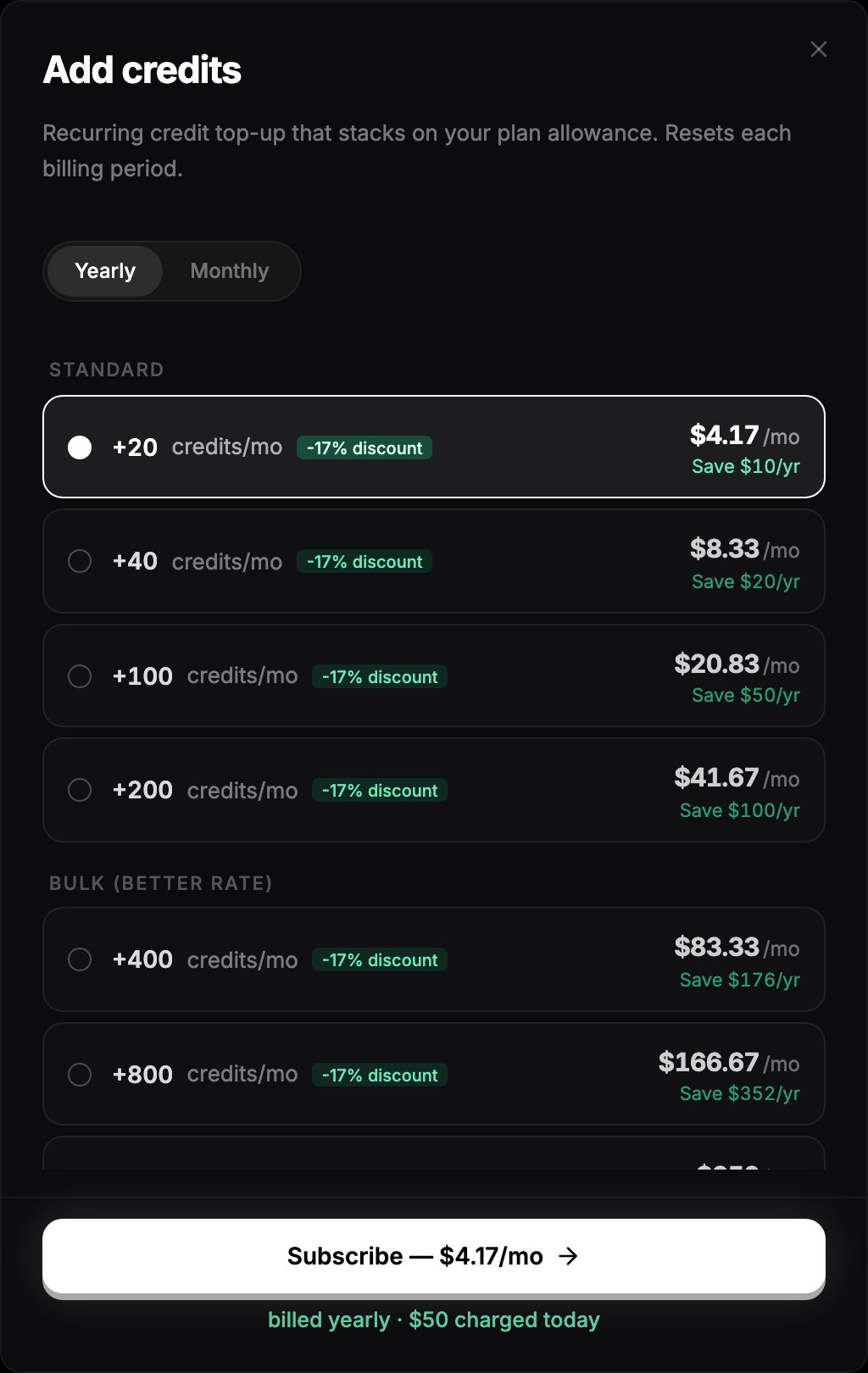
The **Add credits** dialog lists every tier with its monthly and yearly price.
Choose a tier and billing interval, then complete checkout. The credits are available immediately.
 ## Changing or cancelling a top-up
With an active top-up, the card in **Settings → Billing** shows your current tier and renewal date.
* **Move to a larger tier**: click **Change tier** and pick a bigger one. The upgrade takes effect immediately and starts a new cycle.
* **Downgrade or cancel**: click **Manage** to open the Stripe customer portal.
## Next steps
* [What costs credits](/billing/costs)
* [Usage dashboard](/billing/usage-dashboard)
## Changing or cancelling a top-up
With an active top-up, the card in **Settings → Billing** shows your current tier and renewal date.
* **Move to a larger tier**: click **Change tier** and pick a bigger one. The upgrade takes effect immediately and starts a new cycle.
* **Downgrade or cancel**: click **Manage** to open the Stripe customer portal.
## Next steps
* [What costs credits](/billing/costs)
* [Usage dashboard](/billing/usage-dashboard)