> ## Documentation Index
> Fetch the complete documentation index at: https://docs.noclick.com/llms.txt
> Use this file to discover all available pages before exploring further.
# Plans
> Compare the Free, Plus, Pro, and Enterprise plans and manage your subscription.
NoClick has four plans: Free, Plus, Pro, and Enterprise. Every plan includes the visual editor, the AI builder, and all integrations. Paid plans raise your credit allowance and remove resource limits.
## Plan comparison
| | Free | Plus | Pro | Enterprise |
| -------------------------------- | --------- | ------------------- | ------------------- | ---------- |
| Price | \$0 | \$25/mo or \$180/yr | \$50/mo or \$360/yr | Custom |
| Credits per month | 25 | 100 | 100 | Unlimited |
| Daily credit cap | 5 per day | None | None | None |
| Workflows | 5 | 25 | Unlimited | Unlimited |
| Credentials per node type | 1 | 3 | Unlimited | Unlimited |
| Version checkpoints per workflow | 3 | 10 | Unlimited | Unlimited |
| Saved outputs per type | 3 | 10 | Unlimited | Unlimited |
| Team members | 3 | 3 | 5 | Unlimited |
| Organizations | 1 | 1 | 3 | Unlimited |
Plan credits reset each calendar month. The Free plan is additionally capped at 5 credits per day. See [What costs credits](/billing/costs) for how credits are spent.
On the Free plan, emails sent through the Gmail and Outlook nodes include a small "Sent from NoClick" footer. Paid plans send without it.
## Monthly vs yearly billing
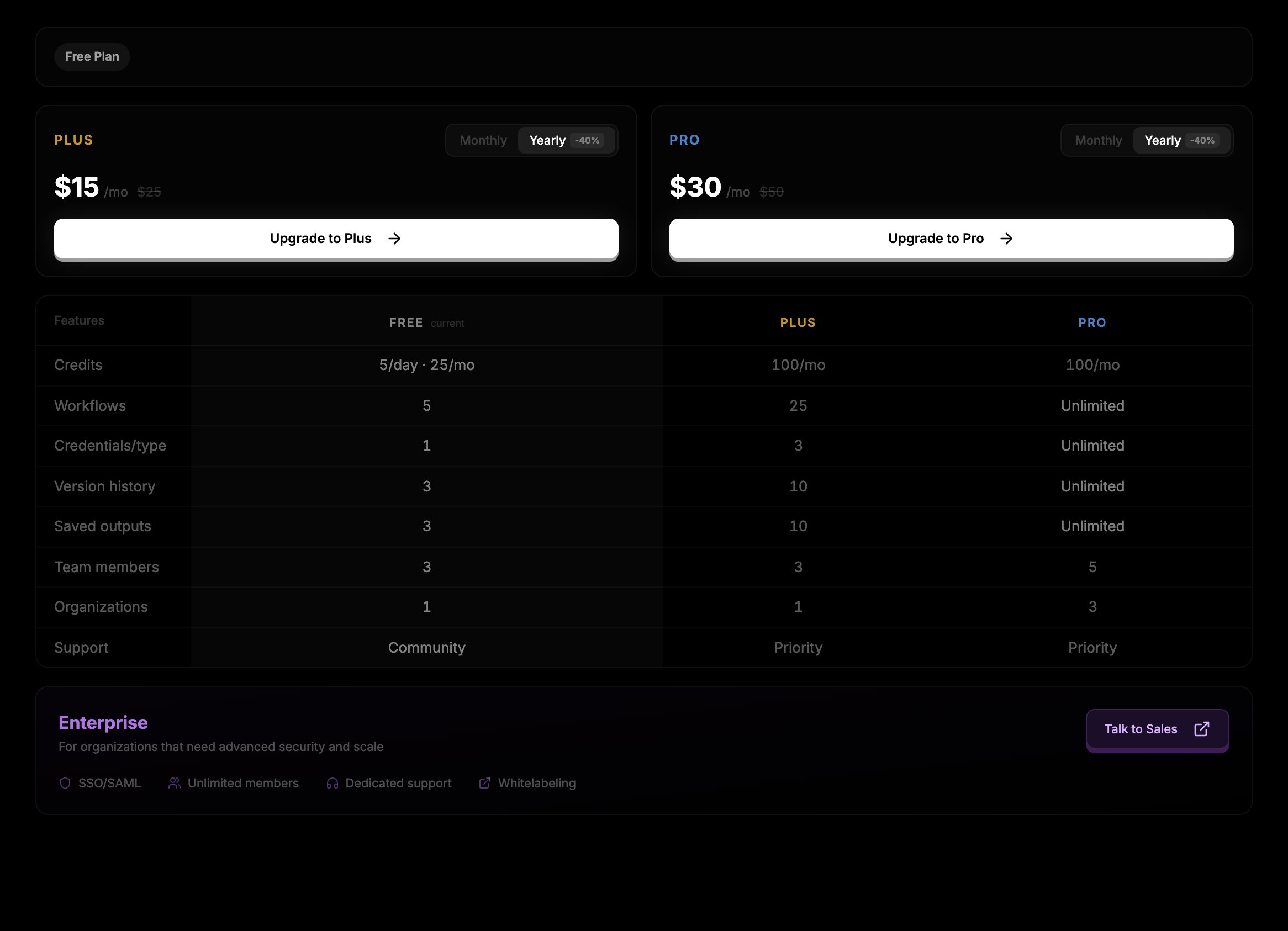
Yearly billing saves 40% compared to paying monthly: Plus is \$180/yr (equivalent to \$15/mo) and Pro is \$360/yr (equivalent to \$30/mo). You can switch between monthly and yearly with the **Monthly** / **Yearly** toggle wherever plans are shown.
## Enterprise
Enterprise adds SSO/SAML, unlimited team members, whitelabeling, and dedicated support, with custom pricing. Click **Talk to Sales** in **Settings → Billing** to get in touch.
## Upgrading
Go to **Settings → Billing**. Your current plan is shown at the top, with upgrade cards for the plans above it.
Use the **Monthly** / **Yearly** toggle on the upgrade card, then click **Upgrade to Plus** or **Upgrade to Pro**.
You are redirected to Stripe checkout. The new plan applies as soon as payment completes.
 ## Managing your subscription
On a paid plan, **Settings → Billing** shows a **Manage Subscription** button next to your current plan. It opens the Stripe customer portal, where you can update your payment method, view invoices, change your billing interval, or cancel.
When you cancel, your plan stays active until the end of the period you have already paid for, then your account moves to Free. The renewal or expiry date is shown next to your plan badge in **Settings → Billing**.
Organization plans are billed separately from personal plans. Organization owners and admins manage them from the organization's settings. See [Organizations](/collaboration/organizations).
## Next steps
* [What costs credits](/billing/costs)
* [Credit top-ups](/billing/top-ups)
* [Usage dashboard](/billing/usage-dashboard)
## Managing your subscription
On a paid plan, **Settings → Billing** shows a **Manage Subscription** button next to your current plan. It opens the Stripe customer portal, where you can update your payment method, view invoices, change your billing interval, or cancel.
When you cancel, your plan stays active until the end of the period you have already paid for, then your account moves to Free. The renewal or expiry date is shown next to your plan badge in **Settings → Billing**.
Organization plans are billed separately from personal plans. Organization owners and admins manage them from the organization's settings. See [Organizations](/collaboration/organizations).
## Next steps
* [What costs credits](/billing/costs)
* [Credit top-ups](/billing/top-ups)
* [Usage dashboard](/billing/usage-dashboard)