> ## Documentation Index
> Fetch the complete documentation index at: https://docs.noclick.com/llms.txt
> Use this file to discover all available pages before exploring further.
# Publishing apps
> Publish a workflow interface to the web at your own noclick.app subdomain.
Publishing puts a workflow's custom component on the public web at `https://{subdomain}.noclick.app`. Anyone with the link can open the app and use it, no NoClick account required.
Publishing works for **HTML / React** blocks (custom components). Other block types stay inside the editor; build the user-facing surface as a custom component to publish it.
## Publish a workflow interface
On the **Workflow** tab, click the **Publish** pill at the top right of the HTML/React block's header.
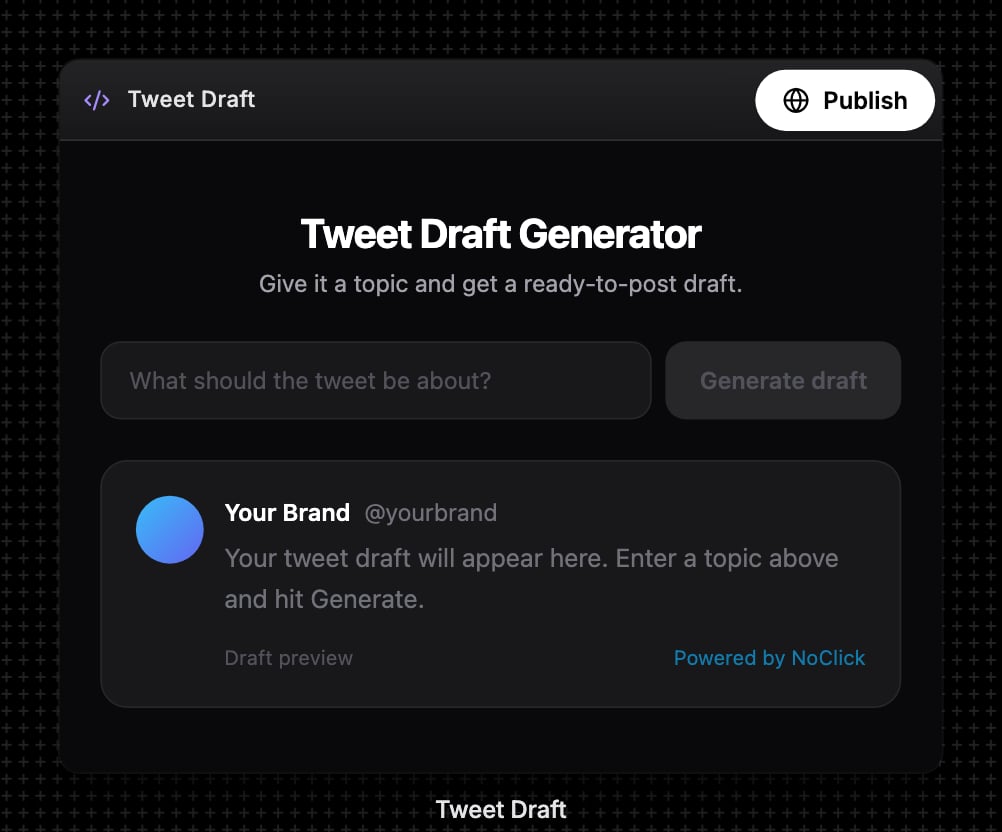 The same dialog opens from the white **Publish** button at the top right of the **Interface** tab, or from the **Publish to web** banner.
The **Publish to Web** dialog asks for a URL in the form `https://[subdomain].noclick.app`. Availability is checked live as you type: you'll see **Available**, **Already taken**, or a reminder to use lowercase letters, numbers, and hyphens (3-63 characters).
The same dialog opens from the white **Publish** button at the top right of the **Interface** tab, or from the **Publish to web** banner.
The **Publish to Web** dialog asks for a URL in the form `https://[subdomain].noclick.app`. Availability is checked live as you type: you'll see **Available**, **Already taken**, or a reminder to use lowercase letters, numbers, and hyphens (3-63 characters).
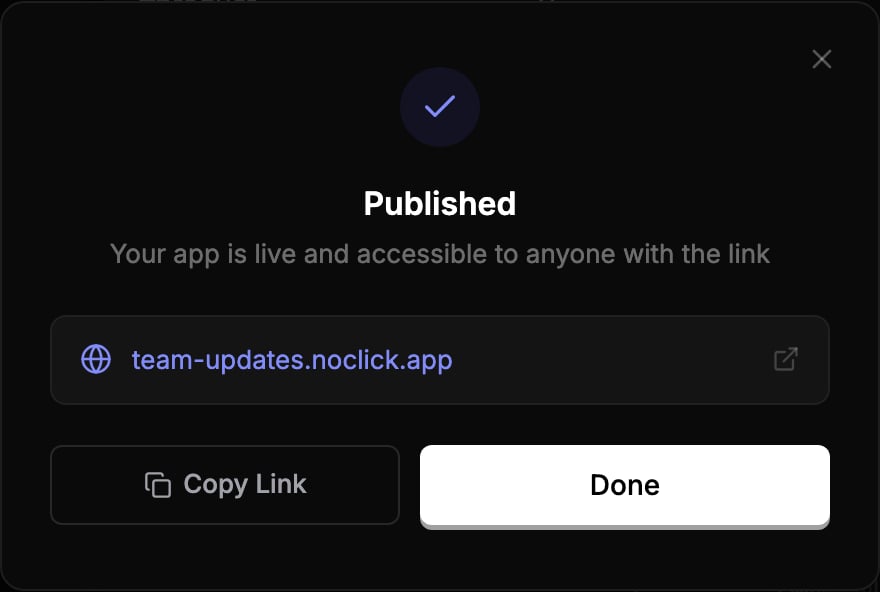
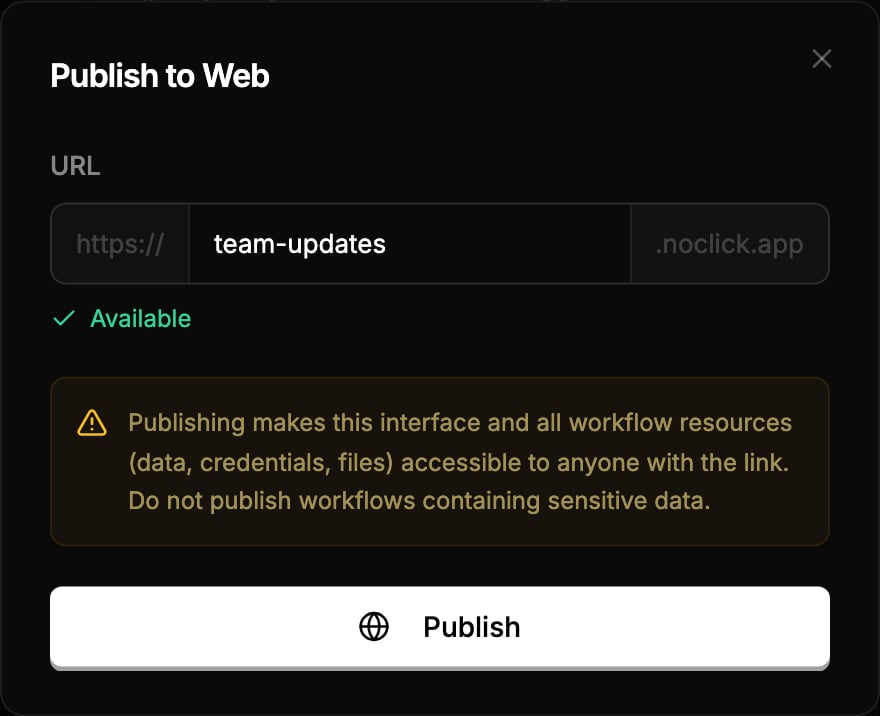 Click **Publish**. Your app goes live at the chosen URL, and the dialog shows a **Copy Link** button.
 ## What visitors can do
Visitors interact with the published app exactly as it appears in your Interface tab. Form submissions and component actions run the underlying workflow on your behalf, using your connected credentials and your credit balance. A small "Built with NoClick" badge appears in the corner of every published page.
Publishing makes this interface and all workflow resources (data, credentials, files) accessible to anyone with the link. Do not publish workflows containing sensitive data.
## Update or unpublish
A published app is a snapshot. Edits to the component do not go live until you republish:
* Open the publish dialog again to see the **Published App** view, then click **Update** to push the latest version.
* Click **Unpublish** to take the app down. To move to a different subdomain, unpublish first, then publish again with the new name.
All your published apps are listed under **Settings → Published Apps**, where you can open, copy, or unpublish each one.
## What visitors can do
Visitors interact with the published app exactly as it appears in your Interface tab. Form submissions and component actions run the underlying workflow on your behalf, using your connected credentials and your credit balance. A small "Built with NoClick" badge appears in the corner of every published page.
Publishing makes this interface and all workflow resources (data, credentials, files) accessible to anyone with the link. Do not publish workflows containing sensitive data.
## Update or unpublish
A published app is a snapshot. Edits to the component do not go live until you republish:
* Open the publish dialog again to see the **Published App** view, then click **Update** to push the latest version.
* Click **Unpublish** to take the app down. To move to a different subdomain, unpublish first, then publish again with the new name.
All your published apps are listed under **Settings → Published Apps**, where you can open, copy, or unpublish each one.
 Custom domains are not supported yet; published apps live on `noclick.app` subdomains.