> ## Documentation Index
> Fetch the complete documentation index at: https://docs.noclick.com/llms.txt
> Use this file to discover all available pages before exploring further.
# Models and harnesses
> Run agents on any LLM, or on Claude Code, Codex, OpenCode, OpenClaw, or Hermes, including with your existing Claude, ChatGPT, Copilot, or SuperGrok subscription.
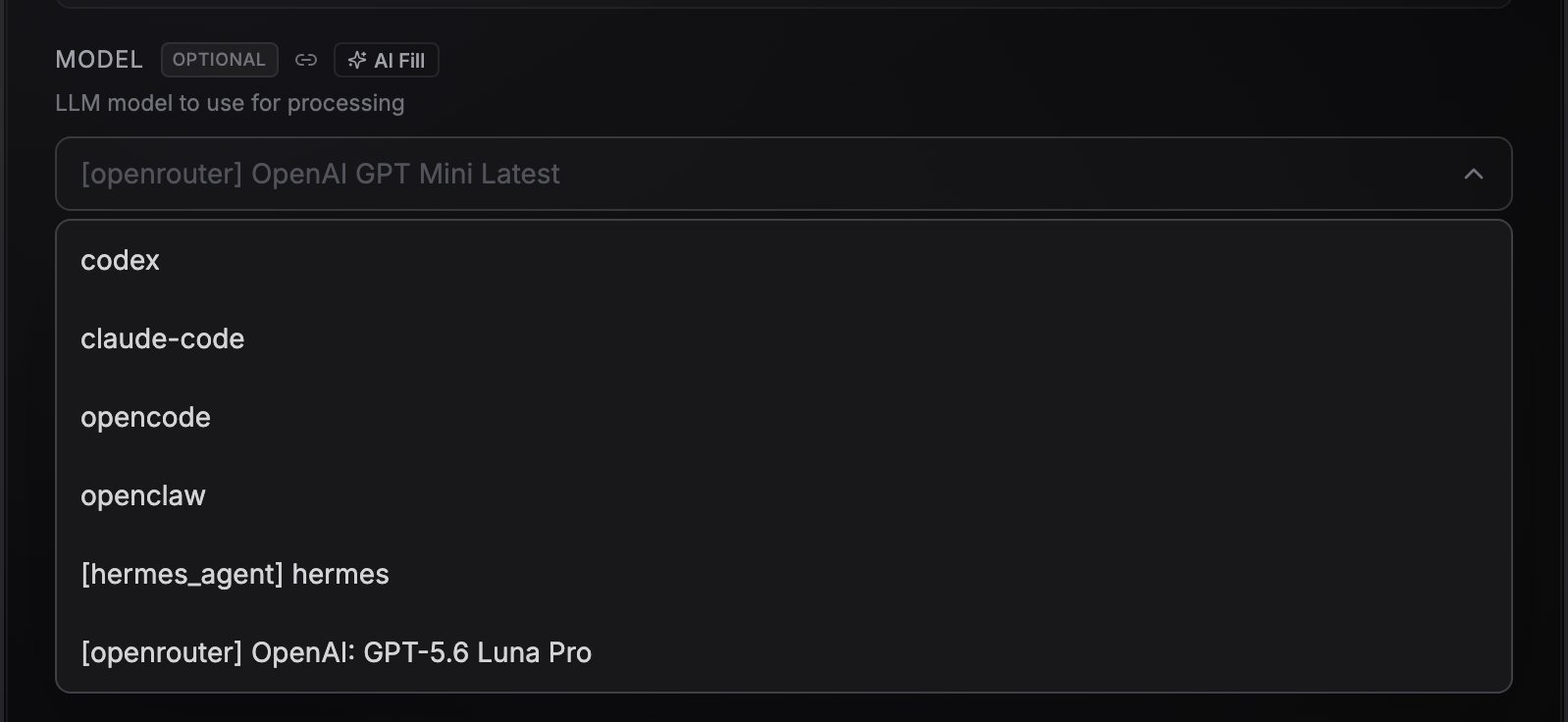
The **Model** dropdown on the agent node picks both the model and the harness it runs in. The five CLI coding agents are pinned at the top of the list; every other entry runs on the built-in LLM agent.
Changing the model on an agent that already has a chat leaves that thread alone until you send. See [Changing the model mid-thread](/agents/conversations#changing-the-model-mid-thread).
 ## The six harnesses
| Harness | Models | Good for |
| -------------------------------- | ----------------------------------------------------------------------------------------------------------- | -------------------------------------------------------------------------- |
| **Built-in LLM agent** (default) | Any LiteLLM model string, e.g. `openrouter/openai/gpt-4o-mini` | Fast tool-calling agents inside workflows |
| **Claude Code** | `opus`, `sonnet`, `haiku`, or a pinned model id | Coding and long multi-step tasks in a sandbox |
| **Codex** | `gpt-5.2`, `gpt-5.3-codex`, `gpt-5.4`, `gpt-5.4-mini`, `gpt-5.5` | Coding tasks with OpenAI models |
| **OpenCode** | Multi-provider catalog (default `opencode/deepseek-v4-flash-free`), including GitHub Copilot and xAI models | Mixing providers, Copilot and SuperGrok subscriptions |
| **OpenClaw** | Any tool-capable chat model in `provider/model` format | A sandboxed CLI runtime on the model of your choice |
| **Hermes** | Any tool-capable chat model (default `openrouter/nousresearch/hermes-3-llama-3.1-70b`) | General-purpose agent with 68+ built-in tools, optional browser automation |
The built-in LLM agent runs in-process. The five CLI agents each run in a cloud sandbox that stays warm between turns, so follow-up replies are fast and one agent can hold several conversations at once. A small indicator on the agent node shows how many sandboxes it is currently holding. Sandbox time is billed at 0.05 credits per minute of uptime, even on your own key or subscription. See [What costs credits](/billing/costs).
Hermes and OpenClaw need models that support tool calling. Reasoning-only models like DeepSeek R1 will not work.
## The CLI agents run on your own key
All five CLI agents need an API key or an AI subscription of your own, whichever sub-model you pick. NoClick credits fund the built-in LLM agent's models and the sandbox time, not the CLI agents' model usage. Connect the key or subscription in the agent node's **Credentials** tab; until you do, the node is marked incomplete on the canvas and its config panel says credentials are required.
## Use your existing AI subscription
Instead of API keys or NoClick credits, you can authenticate a harness with the AI subscription you already pay for. Subscription-authenticated runs do not consume NoClick LLM credits; usage counts against your provider plan's limits. Sandbox time for the CLI agents is still billed (see [What costs credits](/billing/costs)).
### Claude Code with your Claude account
Works with Claude Pro, Max, Teams, and Enterprise.
Open the agent node and pick **Claude Code** in the **Model** dropdown.
In the node's credentials section, click **Connect with Claude account**. A browser tab opens on claude.ai to authorize NoClick.
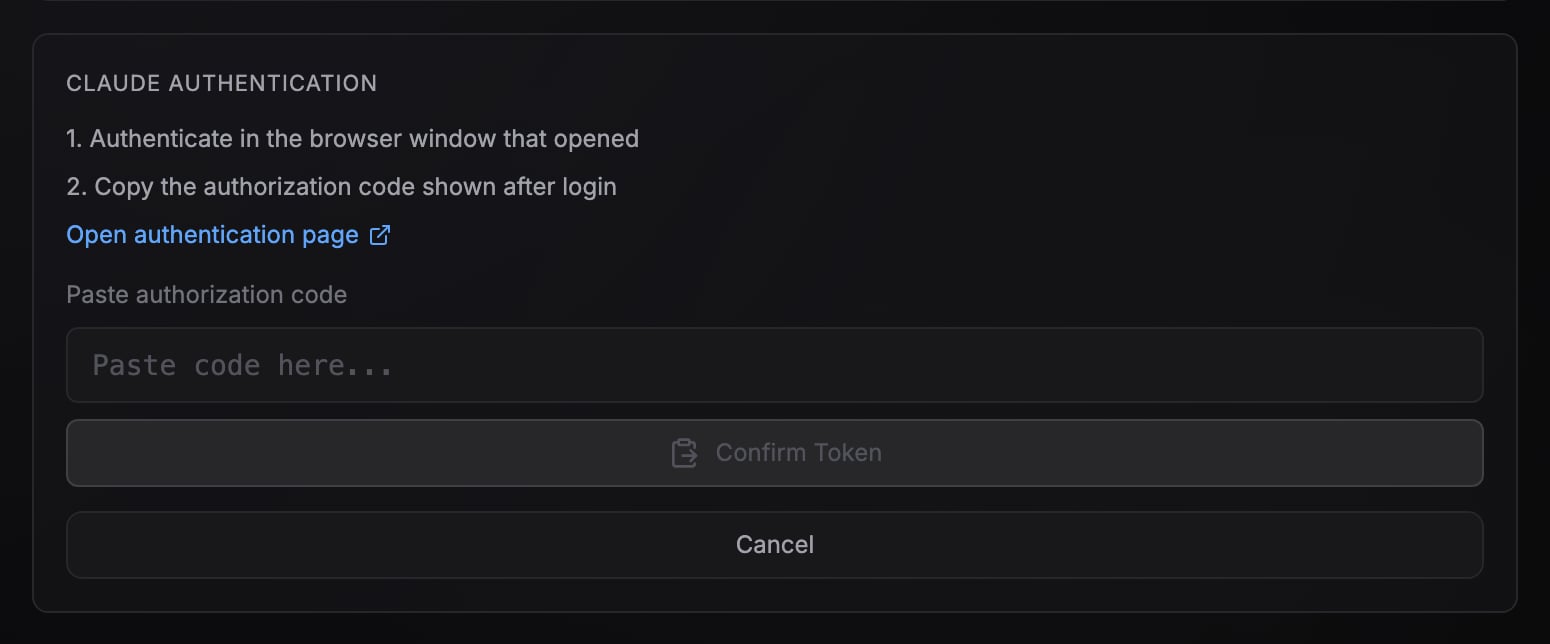
After you authorize, Claude shows an authorization code. Copy it, paste it into the **Paste authorization code** field, and confirm.
## The six harnesses
| Harness | Models | Good for |
| -------------------------------- | ----------------------------------------------------------------------------------------------------------- | -------------------------------------------------------------------------- |
| **Built-in LLM agent** (default) | Any LiteLLM model string, e.g. `openrouter/openai/gpt-4o-mini` | Fast tool-calling agents inside workflows |
| **Claude Code** | `opus`, `sonnet`, `haiku`, or a pinned model id | Coding and long multi-step tasks in a sandbox |
| **Codex** | `gpt-5.2`, `gpt-5.3-codex`, `gpt-5.4`, `gpt-5.4-mini`, `gpt-5.5` | Coding tasks with OpenAI models |
| **OpenCode** | Multi-provider catalog (default `opencode/deepseek-v4-flash-free`), including GitHub Copilot and xAI models | Mixing providers, Copilot and SuperGrok subscriptions |
| **OpenClaw** | Any tool-capable chat model in `provider/model` format | A sandboxed CLI runtime on the model of your choice |
| **Hermes** | Any tool-capable chat model (default `openrouter/nousresearch/hermes-3-llama-3.1-70b`) | General-purpose agent with 68+ built-in tools, optional browser automation |
The built-in LLM agent runs in-process. The five CLI agents each run in a cloud sandbox that stays warm between turns, so follow-up replies are fast and one agent can hold several conversations at once. A small indicator on the agent node shows how many sandboxes it is currently holding. Sandbox time is billed at 0.05 credits per minute of uptime, even on your own key or subscription. See [What costs credits](/billing/costs).
Hermes and OpenClaw need models that support tool calling. Reasoning-only models like DeepSeek R1 will not work.
## The CLI agents run on your own key
All five CLI agents need an API key or an AI subscription of your own, whichever sub-model you pick. NoClick credits fund the built-in LLM agent's models and the sandbox time, not the CLI agents' model usage. Connect the key or subscription in the agent node's **Credentials** tab; until you do, the node is marked incomplete on the canvas and its config panel says credentials are required.
## Use your existing AI subscription
Instead of API keys or NoClick credits, you can authenticate a harness with the AI subscription you already pay for. Subscription-authenticated runs do not consume NoClick LLM credits; usage counts against your provider plan's limits. Sandbox time for the CLI agents is still billed (see [What costs credits](/billing/costs)).
### Claude Code with your Claude account
Works with Claude Pro, Max, Teams, and Enterprise.
Open the agent node and pick **Claude Code** in the **Model** dropdown.
In the node's credentials section, click **Connect with Claude account**. A browser tab opens on claude.ai to authorize NoClick.
After you authorize, Claude shows an authorization code. Copy it, paste it into the **Paste authorization code** field, and confirm.
 ### Codex with your ChatGPT account
Works with ChatGPT Plus and Pro. Requires device code auth enabled in your ChatGPT security settings.
Pick **Codex** in the **Model** dropdown.
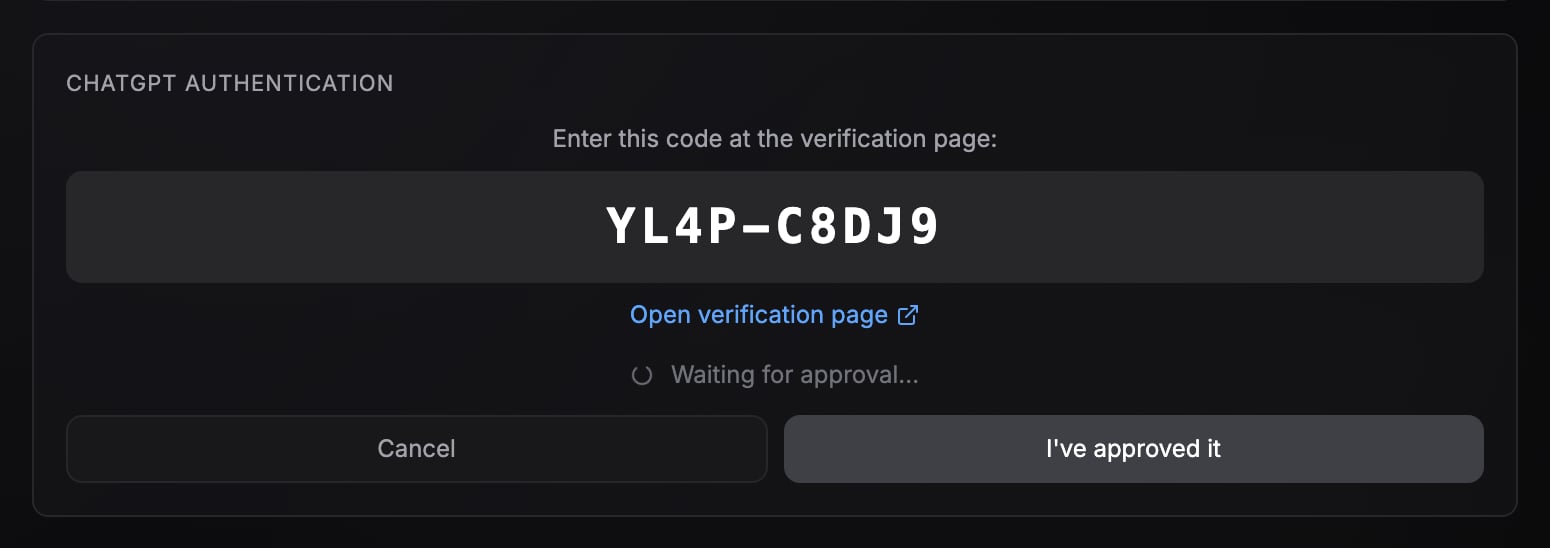
Click **Connect with ChatGPT account**. NoClick shows a short device code and opens the verification page.
Enter the code on the OpenAI verification page and approve. NoClick detects the approval automatically.
### Codex with your ChatGPT account
Works with ChatGPT Plus and Pro. Requires device code auth enabled in your ChatGPT security settings.
Pick **Codex** in the **Model** dropdown.
Click **Connect with ChatGPT account**. NoClick shows a short device code and opens the verification page.
Enter the code on the OpenAI verification page and approve. NoClick detects the approval automatically.
 ### GitHub Copilot and xAI SuperGrok (via OpenCode)
Pick **OpenCode** as the model, then choose a GitHub Copilot or xAI sub-model. The credentials section offers **Connect with GitHub Copilot** (requires a paid Copilot subscription) or **Connect with xAI SuperGrok** (requires a SuperGrok subscription). Both use the same device code flow as Codex: a code appears, you enter it on the provider's verification page, and NoClick completes the connection.
## Capability matrix
| Capability | Built-in LLM agent | Claude Code | Codex | OpenCode | OpenClaw | Hermes |
| ------------------------------------------------- | ---------------------------------- | ----------- | ----- | -------- | -------- | ------ |
| Runs in a cloud sandbox | When filesystem or repos are wired | Yes | Yes | Yes | Yes | Yes |
| [Filesystem node](/agents/files-and-repos) | Yes | Yes | Yes | Yes | Yes | Yes |
| [GitHub repo mounts](/agents/files-and-repos) | Yes | Yes | Yes | Yes | Yes | Yes |
| [External MCP servers](/agents/mcp) | No | Yes | Yes | Yes | Yes | Yes |
| [Integration tools](/agents/tools) | Yes | Yes | Yes | Yes | Yes | Yes |
| [Alarms](/agents/scheduling) | Yes | Yes | Yes | Yes | Yes | Yes |
| [Conversation persistence](/agents/conversations) | Yes | Yes | Yes | Yes | Yes | Yes |
## Next steps
Wire integrations into the agent's bottom handle.
Persistent storage and authenticated repo access in the sandbox.
### GitHub Copilot and xAI SuperGrok (via OpenCode)
Pick **OpenCode** as the model, then choose a GitHub Copilot or xAI sub-model. The credentials section offers **Connect with GitHub Copilot** (requires a paid Copilot subscription) or **Connect with xAI SuperGrok** (requires a SuperGrok subscription). Both use the same device code flow as Codex: a code appears, you enter it on the provider's verification page, and NoClick completes the connection.
## Capability matrix
| Capability | Built-in LLM agent | Claude Code | Codex | OpenCode | OpenClaw | Hermes |
| ------------------------------------------------- | ---------------------------------- | ----------- | ----- | -------- | -------- | ------ |
| Runs in a cloud sandbox | When filesystem or repos are wired | Yes | Yes | Yes | Yes | Yes |
| [Filesystem node](/agents/files-and-repos) | Yes | Yes | Yes | Yes | Yes | Yes |
| [GitHub repo mounts](/agents/files-and-repos) | Yes | Yes | Yes | Yes | Yes | Yes |
| [External MCP servers](/agents/mcp) | No | Yes | Yes | Yes | Yes | Yes |
| [Integration tools](/agents/tools) | Yes | Yes | Yes | Yes | Yes | Yes |
| [Alarms](/agents/scheduling) | Yes | Yes | Yes | Yes | Yes | Yes |
| [Conversation persistence](/agents/conversations) | Yes | Yes | Yes | Yes | Yes | Yes |
## Next steps
Wire integrations into the agent's bottom handle.
Persistent storage and authenticated repo access in the sandbox.