> ## Documentation Index
> Fetch the complete documentation index at: https://docs.noclick.com/llms.txt
> Use this file to discover all available pages before exploring further.
# Agents and MCP
> Proxy an external MCP server's tools to your agents, or give an agent NoClick's own workflow-building tools.
Agents can use tools from MCP (Model Context Protocol) servers in two directions: pull in an external server's tools with the **MCP Server** node, or give the agent NoClick's own tools with the **NoClick** node.
## External MCP servers
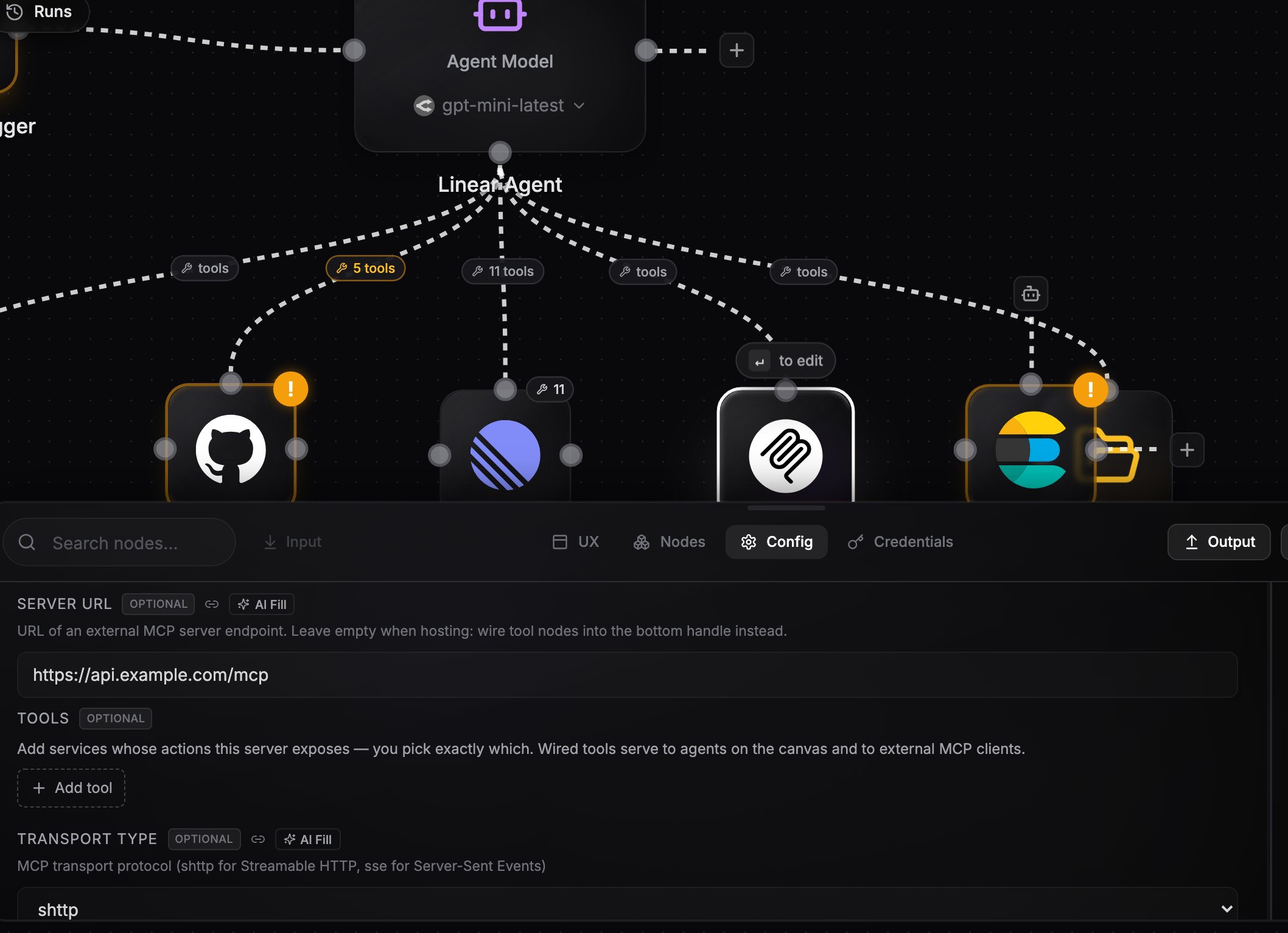
Add an **MCP Server** node, set its **Server URL**, and wire it into the agent's bottom handle like any other tool provider. At run time the node connects to the server, discovers its tools, and exposes them to the agent.
| Setting | What it does |
| ----------------------- | ------------------------------------------------- |
| **Server URL** | The external MCP server endpoint |
| **Transport Type** | Streamable HTTP (default) or SSE |
| **Authentication Type** | None, API key, or OAuth; custom headers supported |
| **Tool Prefix** | Optional prefix added to discovered tool names |
| **Tool Filter** | Optional list restricting which tools are exposed |
 The built-in LLM agent does not support external MCP servers. Pick one of the CLI harnesses (Claude Code, Codex, OpenCode, OpenClaw, Hermes) for the agent that uses them. See the [capability matrix](/agents/models#capability-matrix).
The MCP Server node is either-or: with a **Server URL** set it proxies that external server. With integration nodes wired into its own bottom handle instead, it becomes a hosted server that exposes your tools to the outside world. See [Hosted MCP servers](/mcp/hosted-servers) for that direction.
## The NoClick node
The **NoClick** node gives an agent NoClick's own tools: creating, editing, and running workflows. Wire it into the agent's bottom handle and pick a scope:
| Scope | What the agent can touch |
| ---------------------- | ----------------------------------------------------------- |
| **All workflows** | Every workflow in your account, including creating new ones |
| **This workflow only** | Only the workflow the agent lives in |
| **Specific workflows** | A list of workflow IDs you provide |
When scoped, tools that only make sense globally are hidden and the workflow ID is injected automatically, so the agent cannot wander outside its scope.
## Next steps
Expose your own integrations as an MCP server other clients can call.
Wire integrations directly, without an MCP server in between.
The built-in LLM agent does not support external MCP servers. Pick one of the CLI harnesses (Claude Code, Codex, OpenCode, OpenClaw, Hermes) for the agent that uses them. See the [capability matrix](/agents/models#capability-matrix).
The MCP Server node is either-or: with a **Server URL** set it proxies that external server. With integration nodes wired into its own bottom handle instead, it becomes a hosted server that exposes your tools to the outside world. See [Hosted MCP servers](/mcp/hosted-servers) for that direction.
## The NoClick node
The **NoClick** node gives an agent NoClick's own tools: creating, editing, and running workflows. Wire it into the agent's bottom handle and pick a scope:
| Scope | What the agent can touch |
| ---------------------- | ----------------------------------------------------------- |
| **All workflows** | Every workflow in your account, including creating new ones |
| **This workflow only** | Only the workflow the agent lives in |
| **Specific workflows** | A list of workflow IDs you provide |
When scoped, tools that only make sense globally are hidden and the workflow ID is injected automatically, so the agent cannot wander outside its scope.
## Next steps
Expose your own integrations as an MCP server other clients can call.
Wire integrations directly, without an MCP server in between.